A chronological family calendar with named, color-coded parents and upcoming sibling handoffs
Coming soon
Super Dad
Fatherhood, organized around what matters.
More time being Dad. Less time keeping track. Plan parenting time, stay on top of each child's care, manage family costs, and turn everyday records into clear, reviewable reports—all in one app for iPhone, iPad, and Mac.
WHY WE MADE IT
Because being a present dad already takes enough energy—the details should feel lighter.
APP SCREENSHOTS
Explore the whole app.
Real screens from Super Dad, shown large enough to see the details. Every name, event, health detail, dollar amount, and legal record shown is example data created to demonstrate the app.
Fresh from the September 2026 update · iPhone screenshots · Also built for iPad and Mac
01
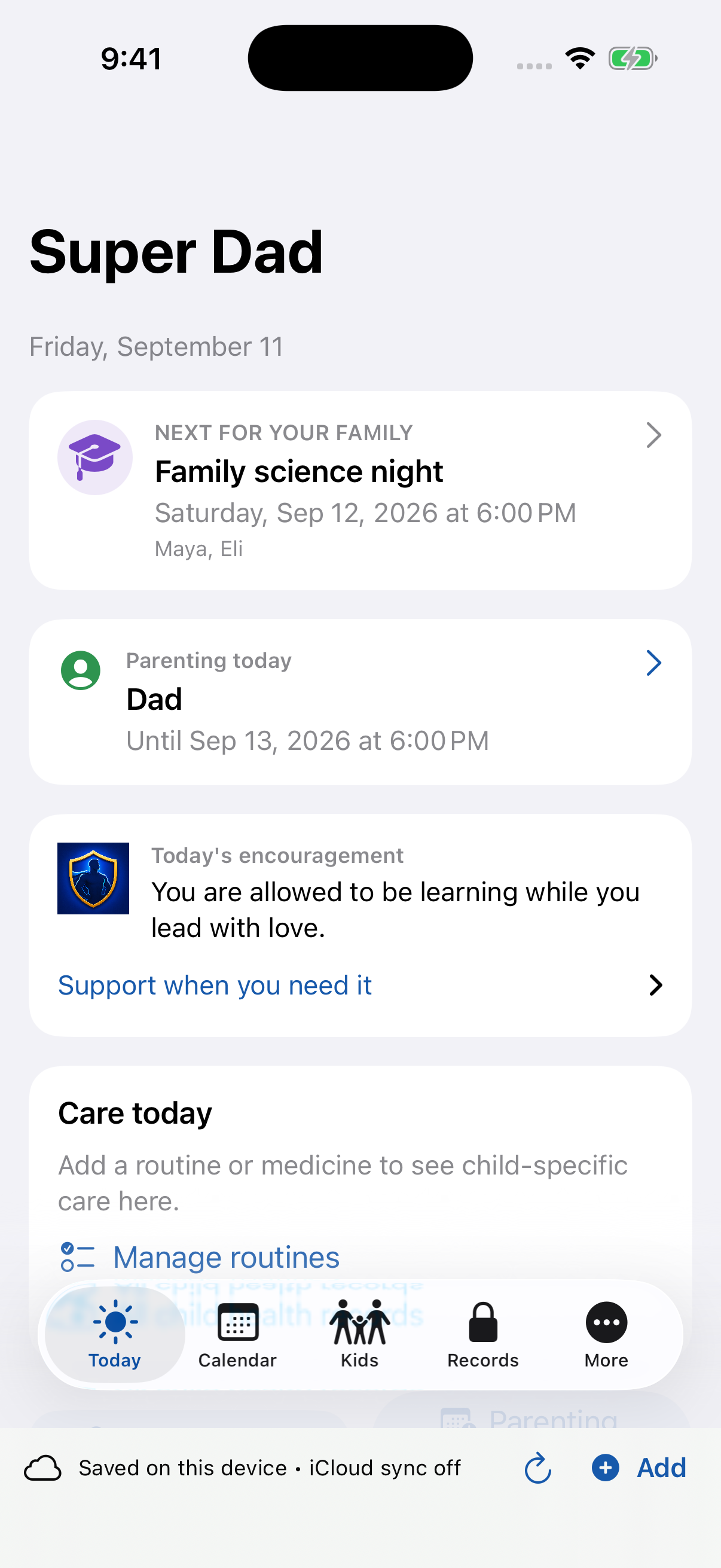
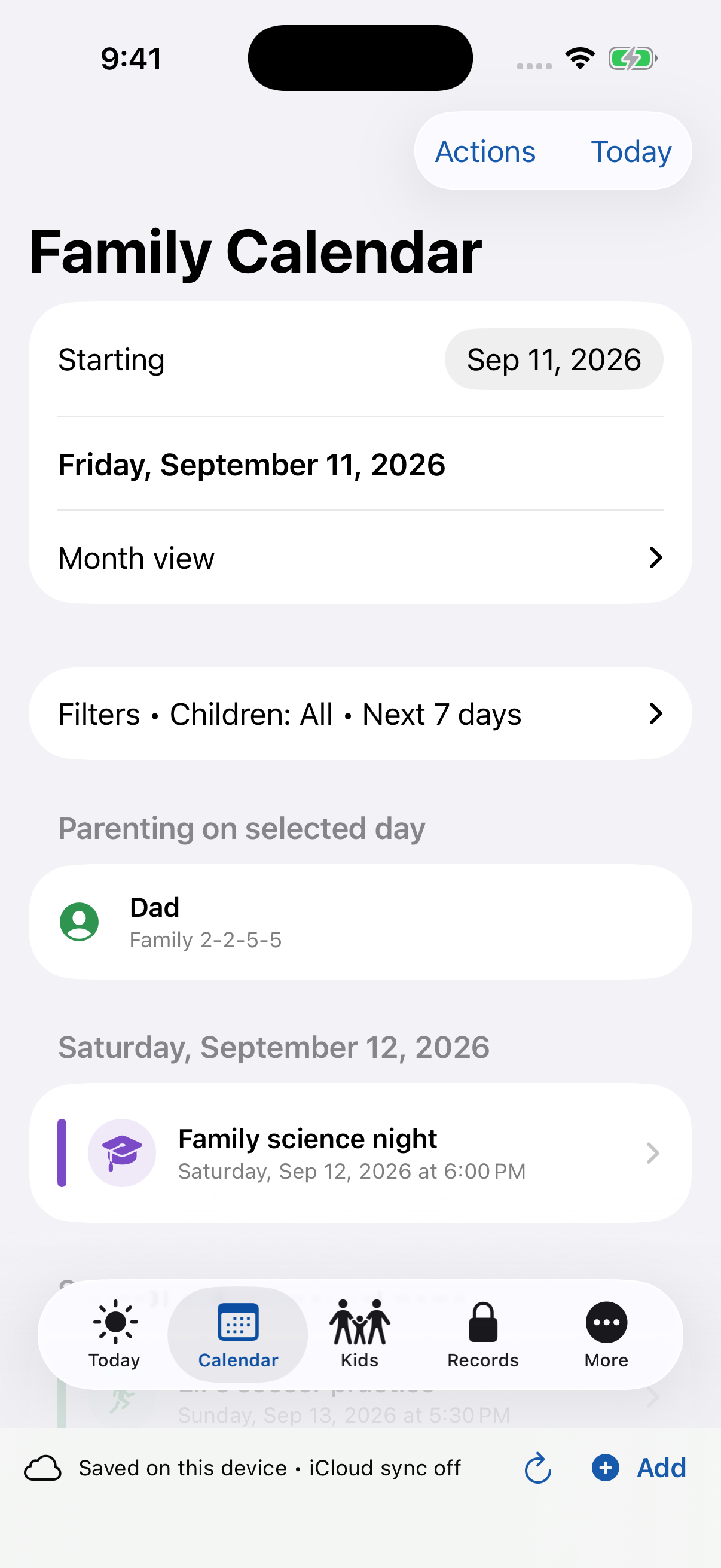
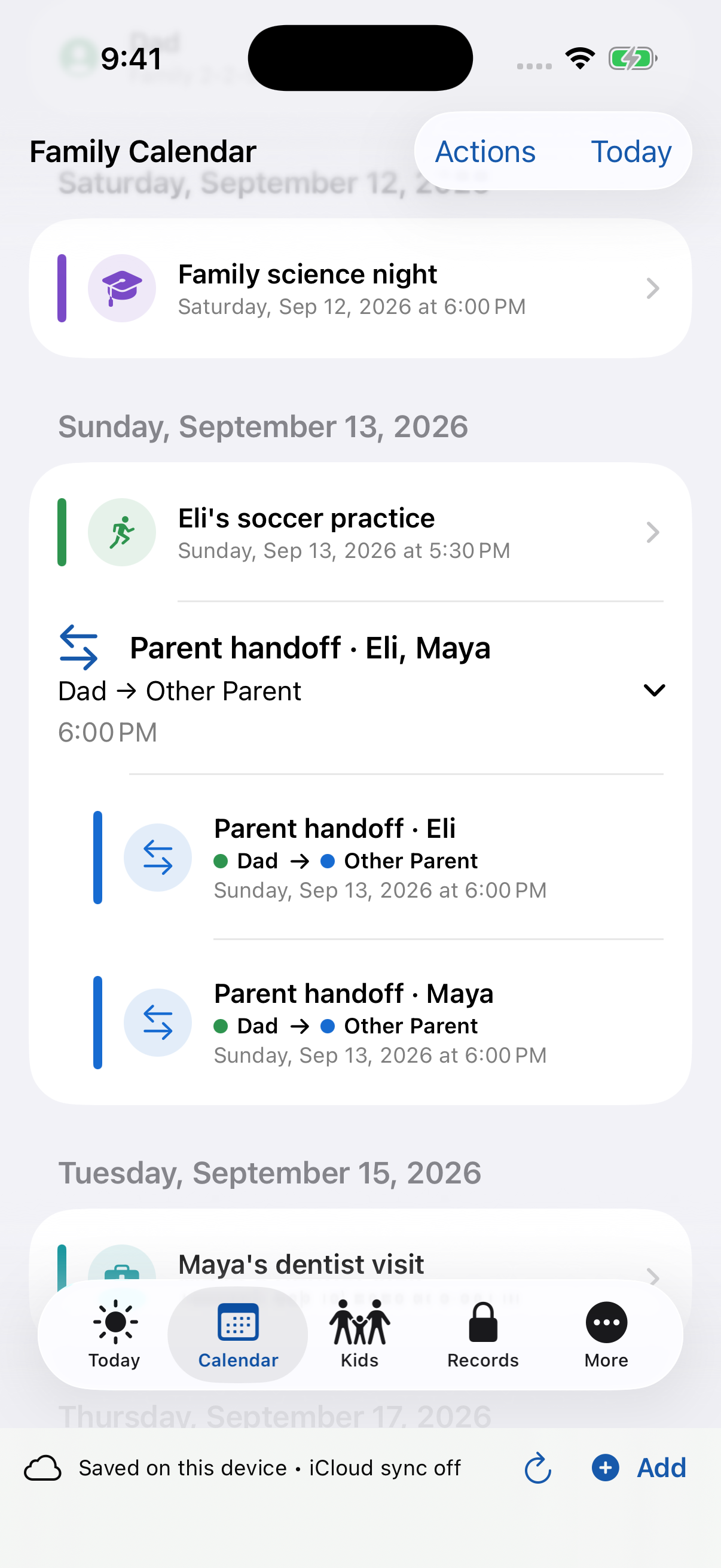
Plan the day and the handoff
A clearer day starts here. Family events and parenting transitions appear in date order, with weekday headings and sibling handoffs grouped together.
02
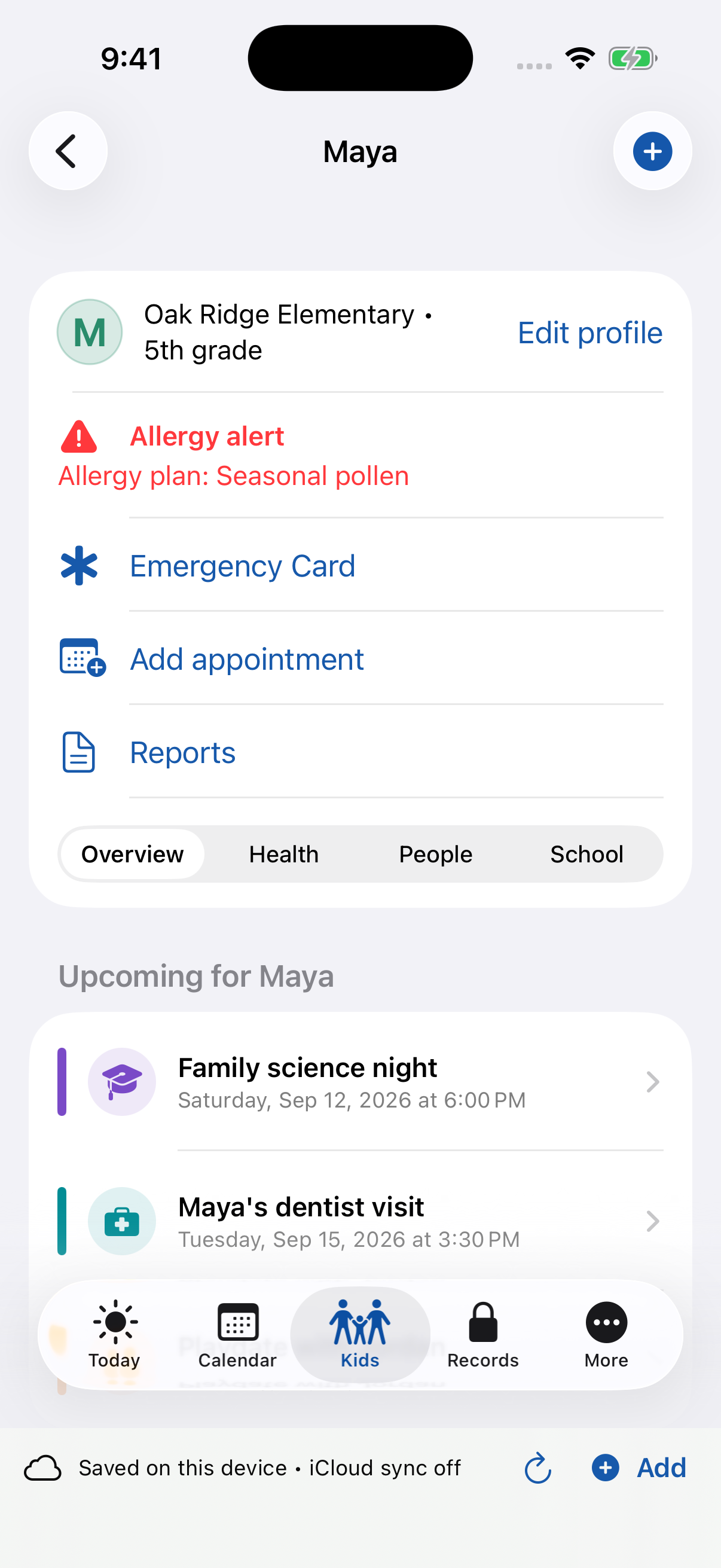
Keep each child ready
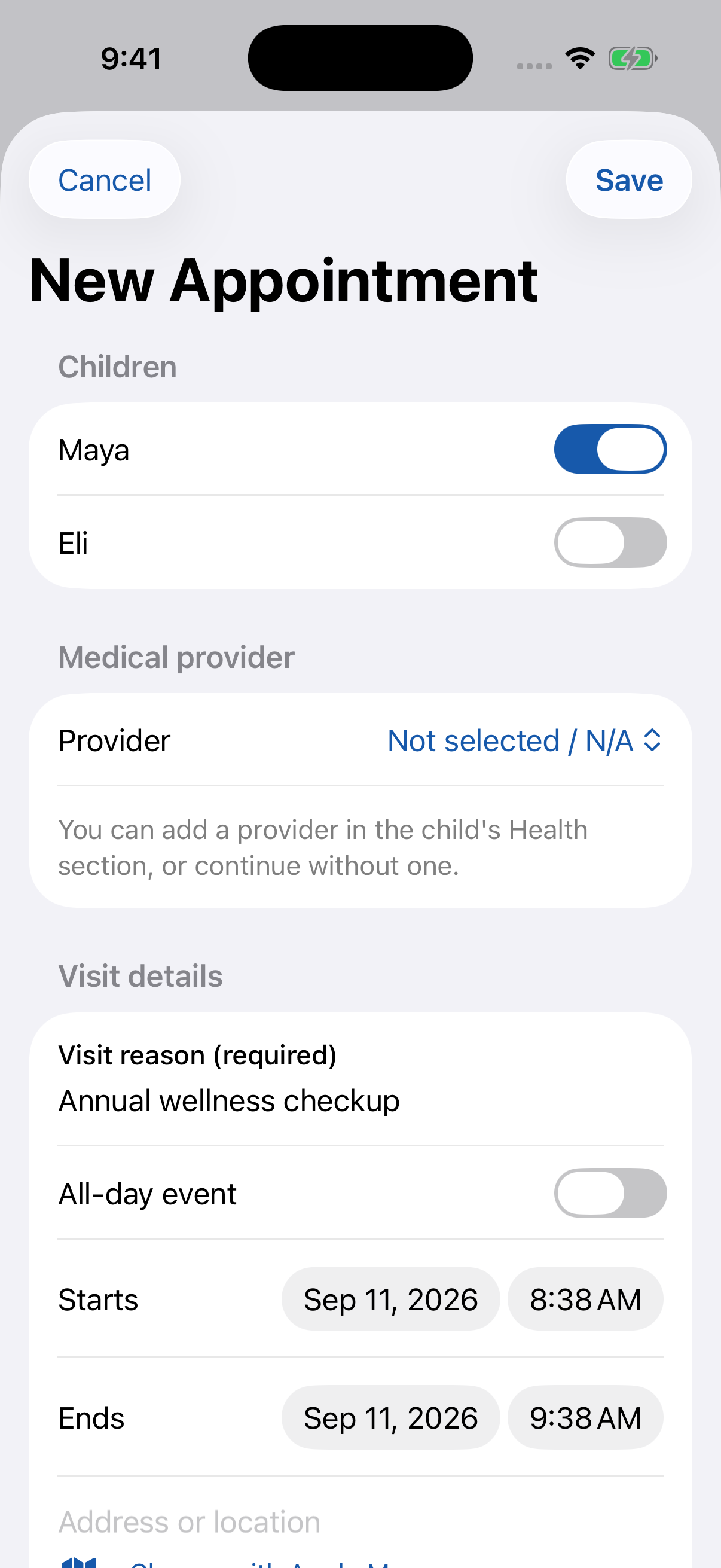
One profile brings a child's school, care team, health information, emergency contacts, and upcoming plans together. Everyday actions stay close at hand.
03
Turn everyday records into useful reports
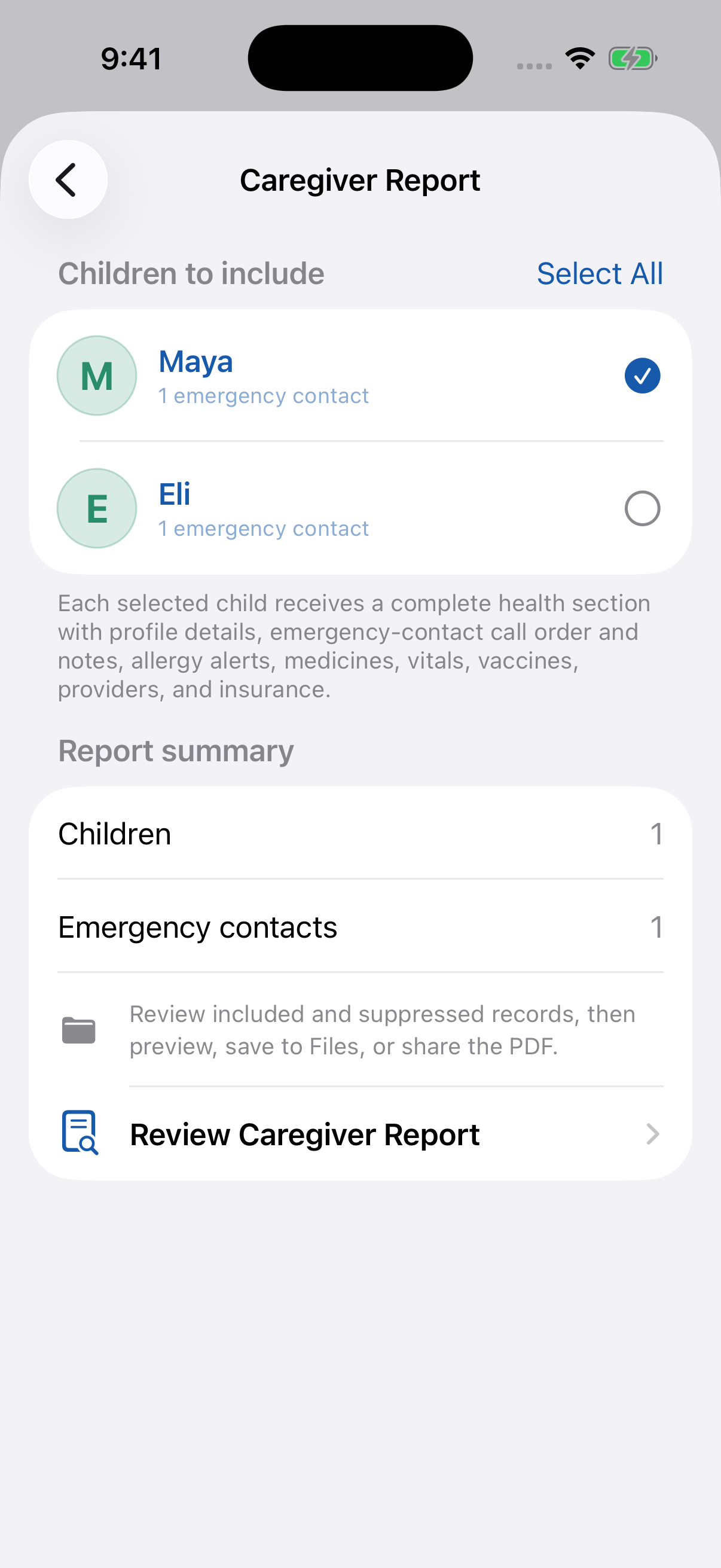
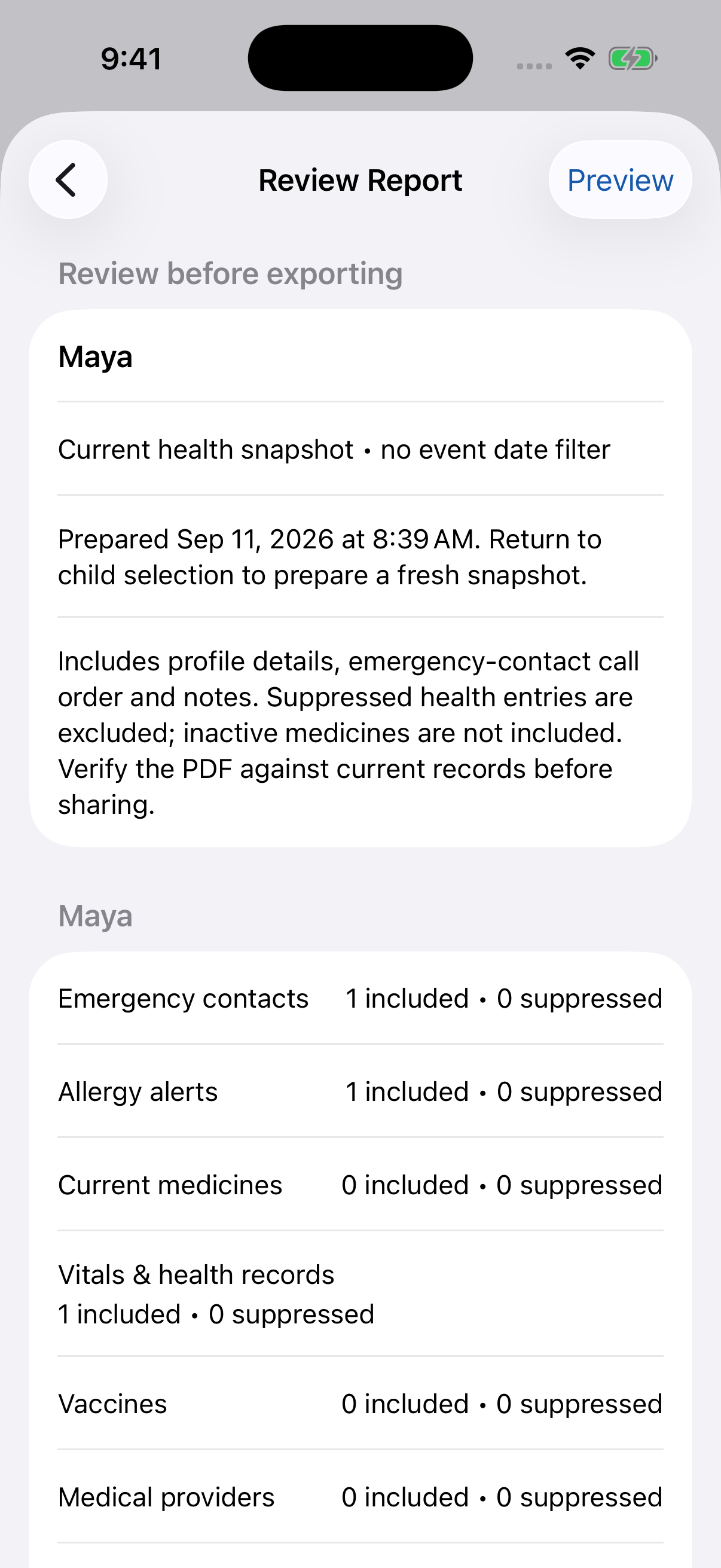
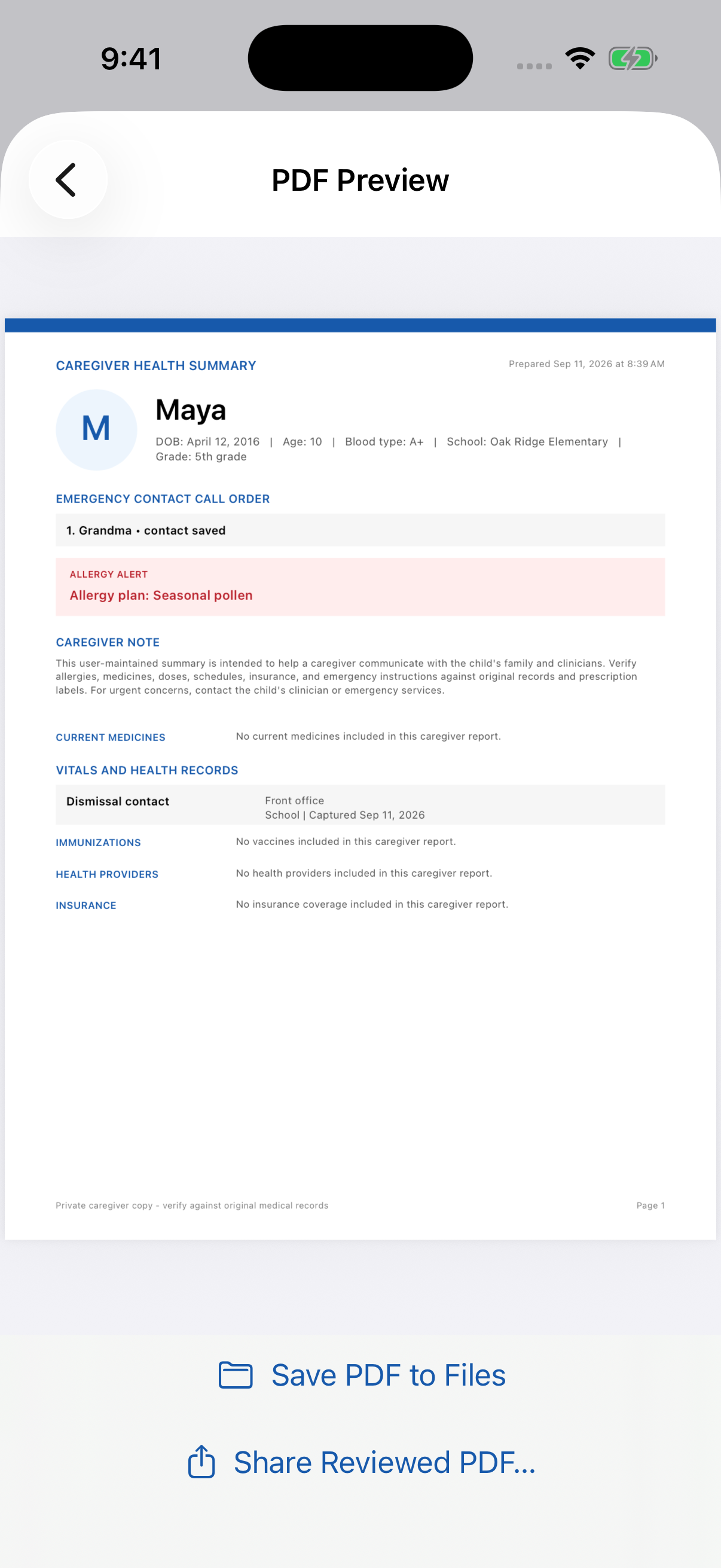
Choose what belongs in a report, review the included records, and inspect the finished PDF before saving or sharing it.
04
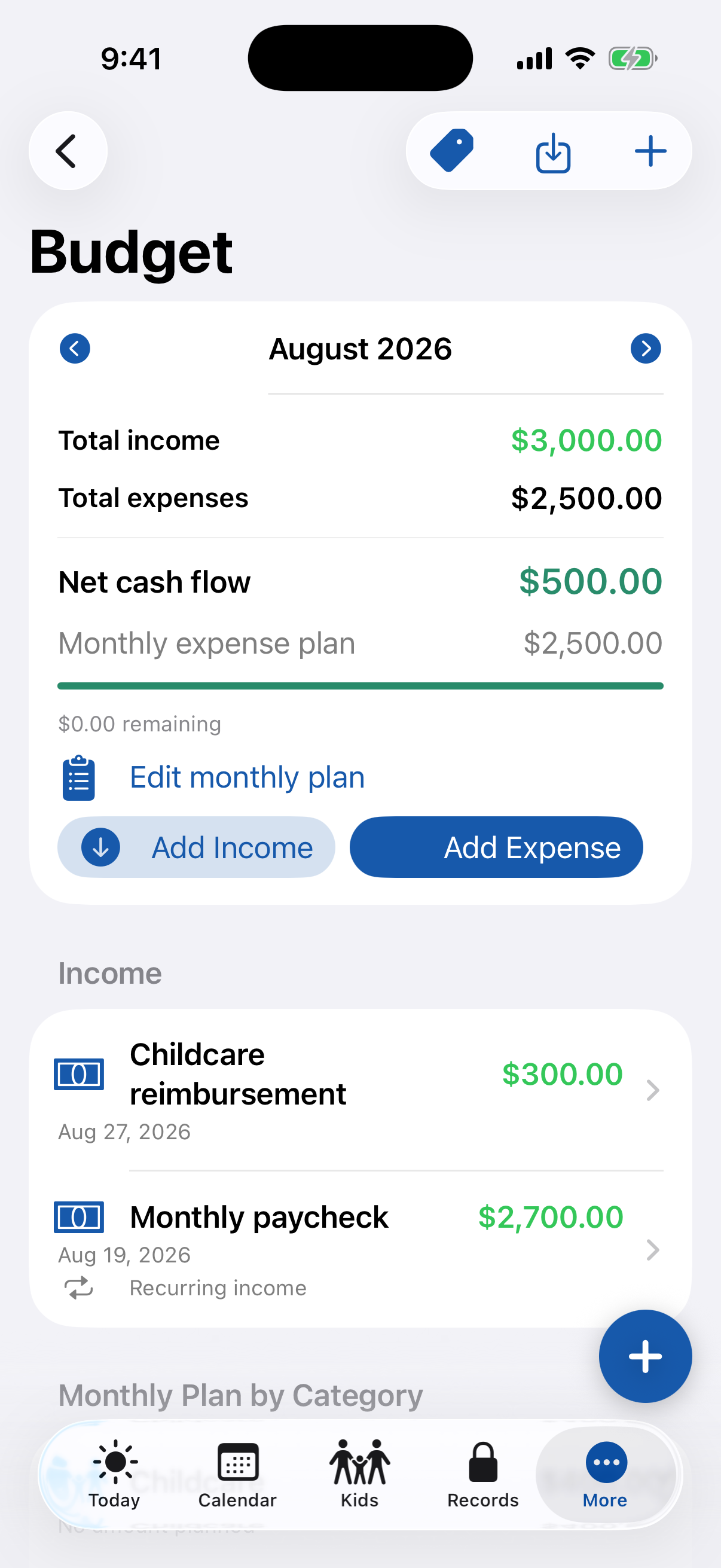
Run the family command center
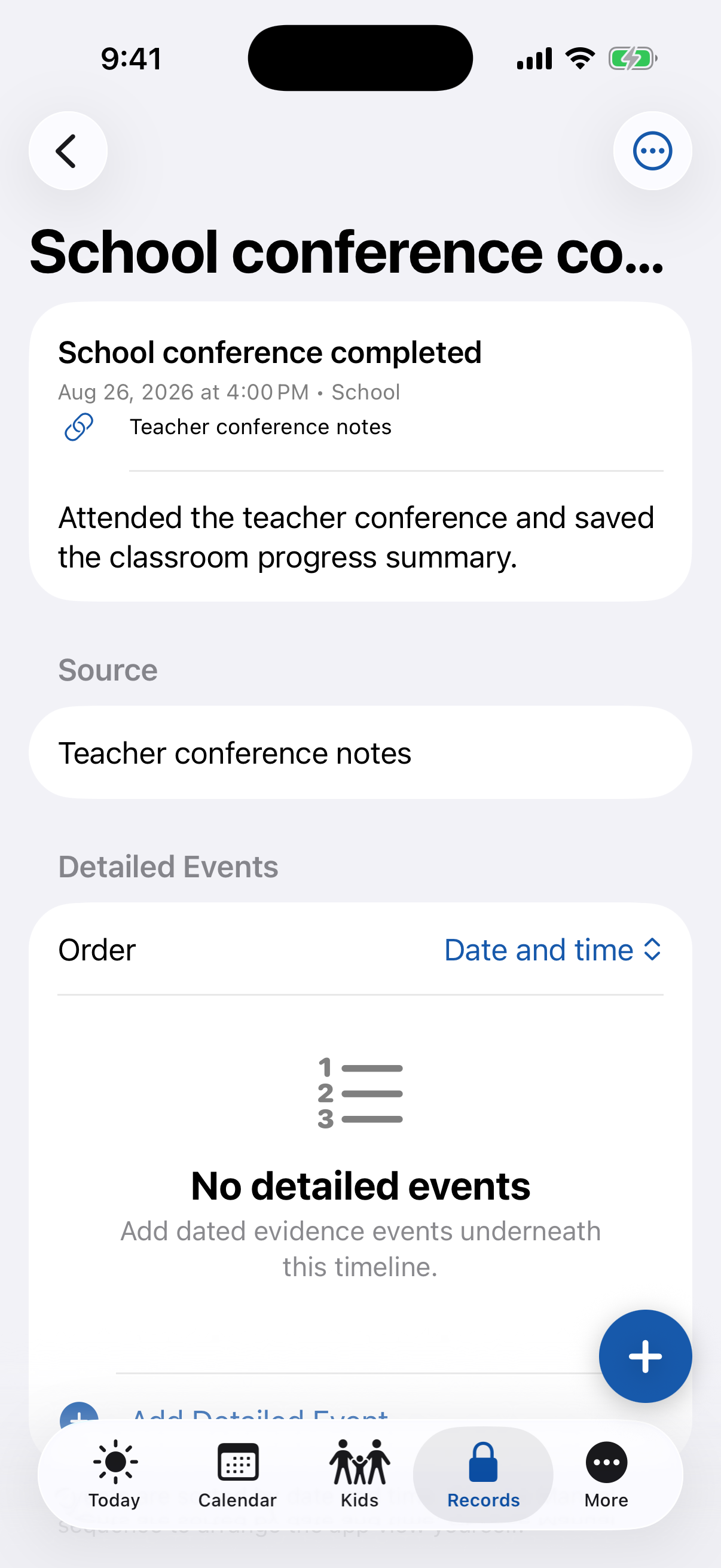
These additional feature examples show how budgets, care records, and legal timelines fit alongside everyday parenting. Legal tools are optional.
FEATURES AT A GLANCE
What Super Dad does best.
Focused capabilities, designed to make the whole task faster and easier to understand.
Child health profiles, provider-linked appointments, and reminders to book the next checkup
Caregiver and parenting handoff PDFs you can review, save to Files, and share
Personalized encouragement, your own sayings, and quick access to the routines that matter
Income, monthly budgets, receipt-backed expenses, named payer splits, and reimbursements
School paperwork, priced supply lists, activities, friends, and parent-child care logs
Optional, lockable legal records with contacts, document rules, chat logs, and timeline exhibits
Excel imports with duplicate review, vault search, and optional encrypted iCloud sync
WHAT YOU CAN DO
Built for the whole task.
Start simple, then go further when the job calls for it. These are the everyday workflows Super Dad is designed to make easier.
Make complicated weeks readable
Use 2-2-5-5, week-on/week-off, or custom parenting rotations with dated start points and handoff details. Temporary adjustments take precedence for the affected parenting time. Choose children and a date window, see weekday headings, and review overnight totals by parent and child.
Prepare a better parenting handoff
Choose children, event types, and an exact start and end time. Include appointments, school events, care activities, available pictures, and your closing notes. AM/PM medicine schedule rows appear only within the selected window, using adjustable report times; as-needed medicines are optional reference information.
Stay ahead of the next appointment
Link appointments to a child's provider and see upcoming visits together. Set a follow-up interval and a reminder lead time—60 days by default—to prompt booking when no qualifying appointment covers the due date.
Keep health information close
Maintain dated vitals, allergies, vaccines, medicine forms and AM/PM or as-needed instructions, prescribers, provider notes and attachments, and insurance validity dates. Order multiple emergency contacts with notes. Choose which entries to suppress from caregiver reports.
Feel supported, not just organized
Tailor encouragement to your family situation, save your own motivational sayings, and return to a short reset when you need it. Reorder favorite tools and open child-specific routines from Today. Routine sessions can become care records for reporting.
Understand the family budget
Add multiple income sources, set monthly category amounts, and compare total income with expenses. Keep receipts, use named splits such as 50/50, track reimbursements and support payments, and export a monthly budget PDF.
Keep school life in order
Organize school paperwork by child, grade, year, and sequence. Add quantities, prices, web links, and attachments to supply lists. Manage seasonal activities, friends and their parents, playdates, and friends' birthdays.
Keep legal tools only when you need them
Hide legal areas when they are not relevant. Otherwise, keep legal contacts handy, add quick-reference rules and issue resolvers to documents, maintain dated chat logs, and organize tagged timeline events and sub-events. Filter and group exhibits by category, year, and child.
Bring existing records with you
Download Excel templates with required fields identified, validate entries, and review possible duplicates before import. Import OFW schedule exports with child matching. Read selected iCloud or Google calendars configured in Apple Calendar through a one-way connection that leaves the original events unchanged; permissions and account setup are required.
Review it. Save it. Share it.
Prepare caregiver health summaries, parenting handoffs, school paperwork, supply reports, budgets, care exhibits, and legal timelines. Preview reports and save PDFs to your iPhone, iPad, or Mac file system. Sharing remains a deliberate export—not automatic access to your family vault.
COMPLETE EXAMPLE DATA
A real day, shown with example data.
The latest screens use Maya and Eli, an example family, to show real workflows from the app. Additional feature screens and downloadable reports use separate sample records; none are a real family's private information.
Family science night
School event for both children, with the location and a one-hour reminder already attached.
Soccer, dentist, and a playdate
Activities, health appointments, and social plans appear beside parenting-time overlays in one family calendar.
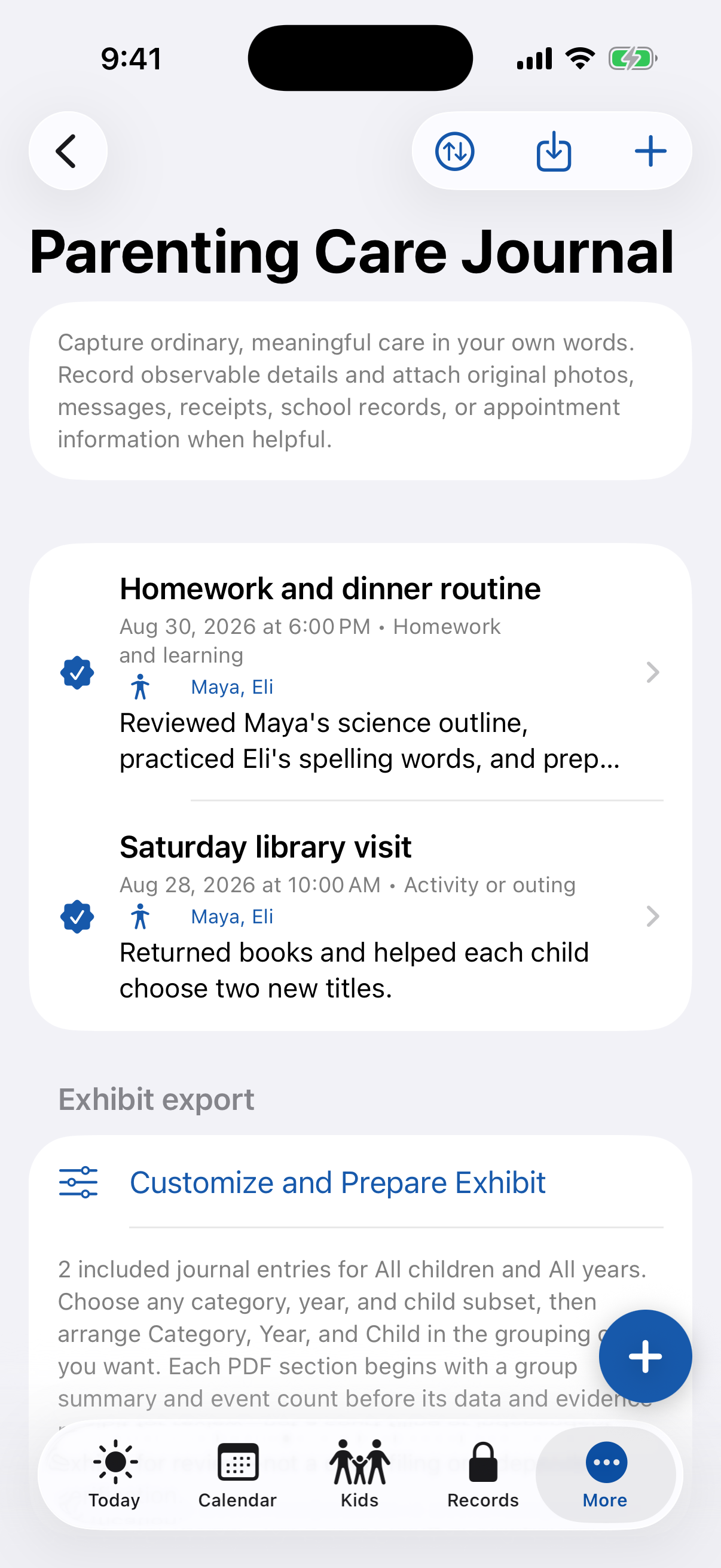
Homework and dinner routine
A Care Journal entry records the care provided and a plain, observable outcome—without guessing or editorializing.
School, medical, and activity costs
Example expenses show child tags, 50/50 payer splits, reimbursement status, and the receipt-ready workflow.
Everything shown here is example data created to demonstrate how the app works.
REAL PDF OUTPUTS
See what leaves the app.
These sample reports were generated directly by Super Dad using example records for Maya and Eli. Open any complete example to inspect it at full size.
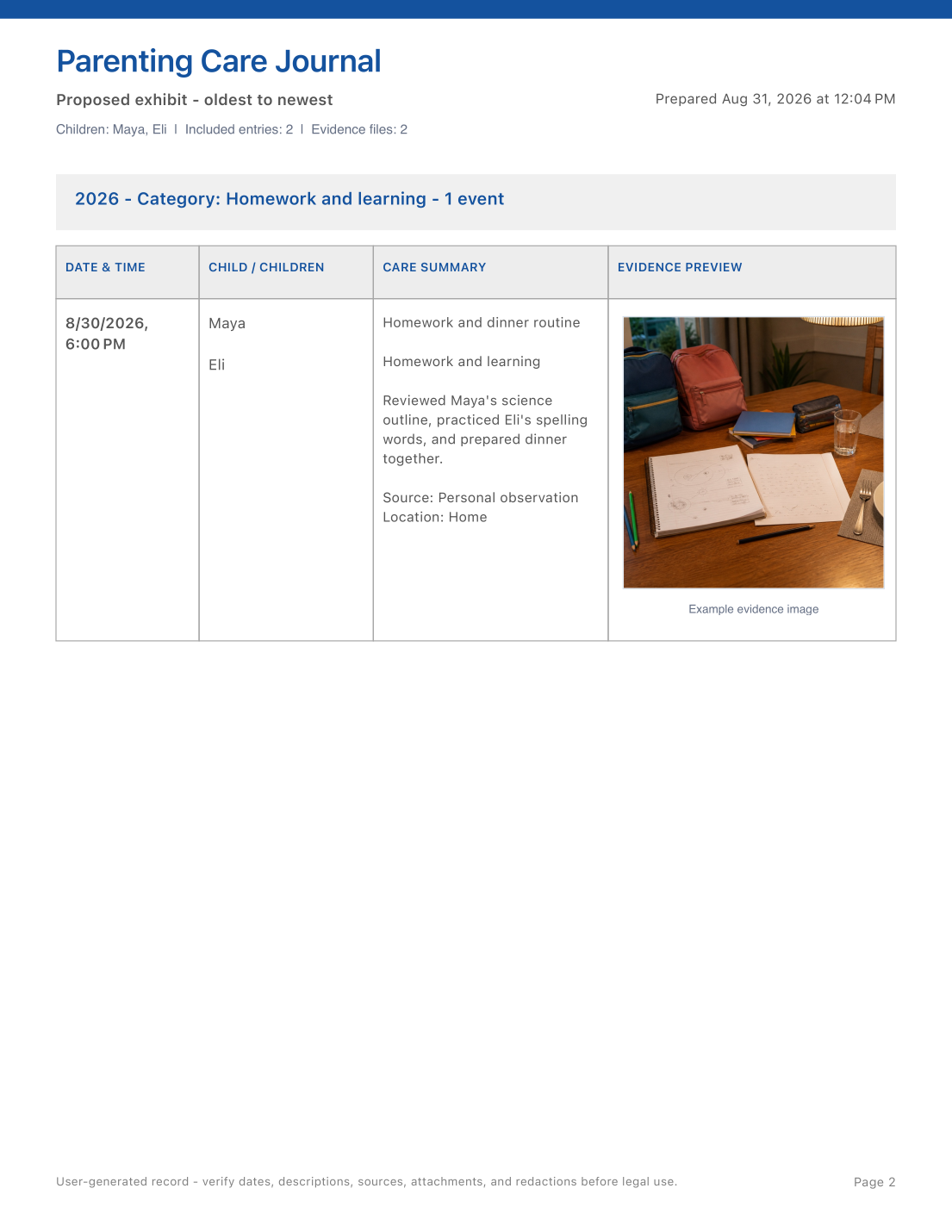
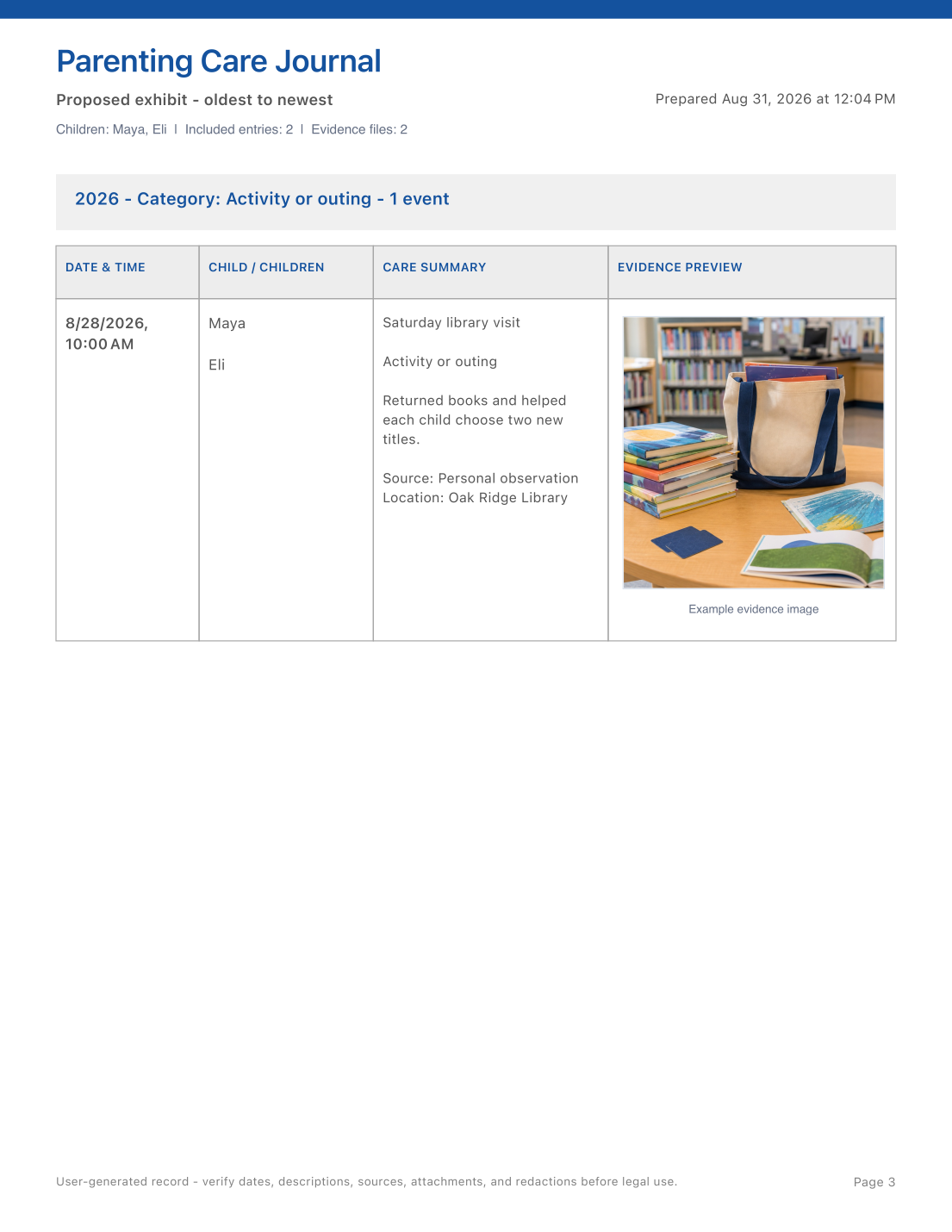
01 · 3-page sample
Parenting Care Journal exhibit
A proposed exhibit summary followed by category-grouped care tables with dates, children, observable details, sources, locations, and scenario-matched example evidence photos.
Open sample PDF ↗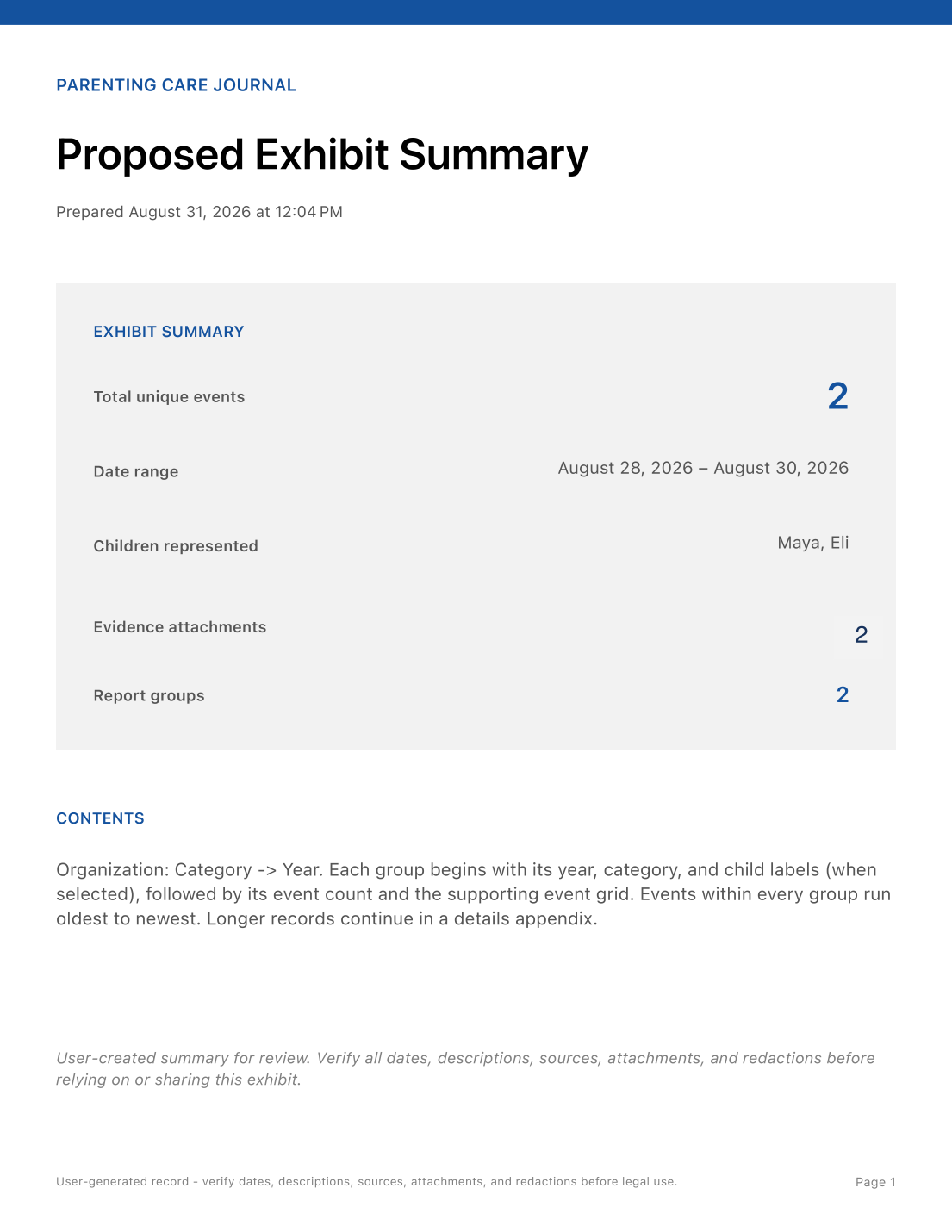
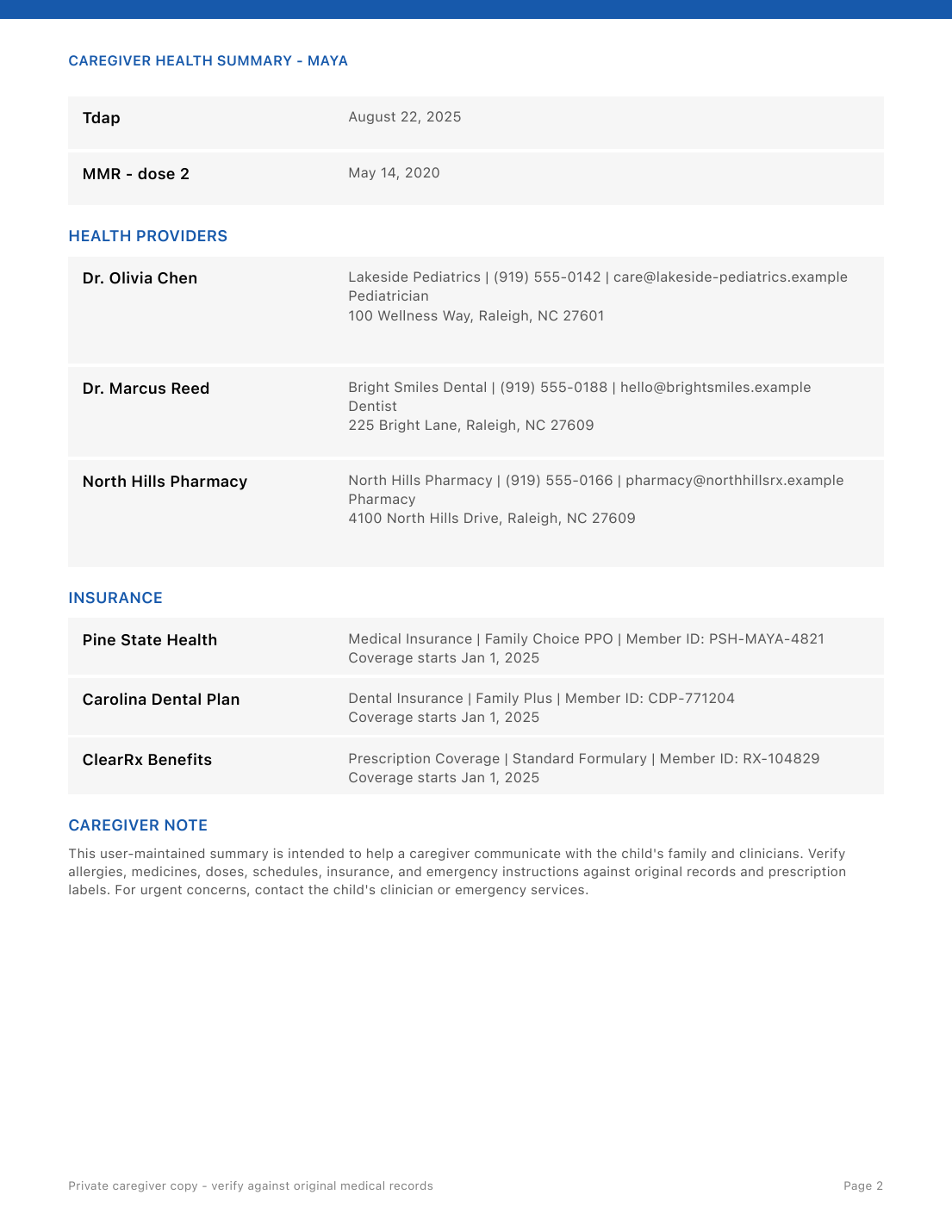
02 · 2-page sample
Caregiver health summary
A quick-reference handoff for another caregiver with the child's profile, emergency contact, allergy alert, medicines, vitals, immunizations, providers, insurance, and a verification reminder.
Open sample PDF ↗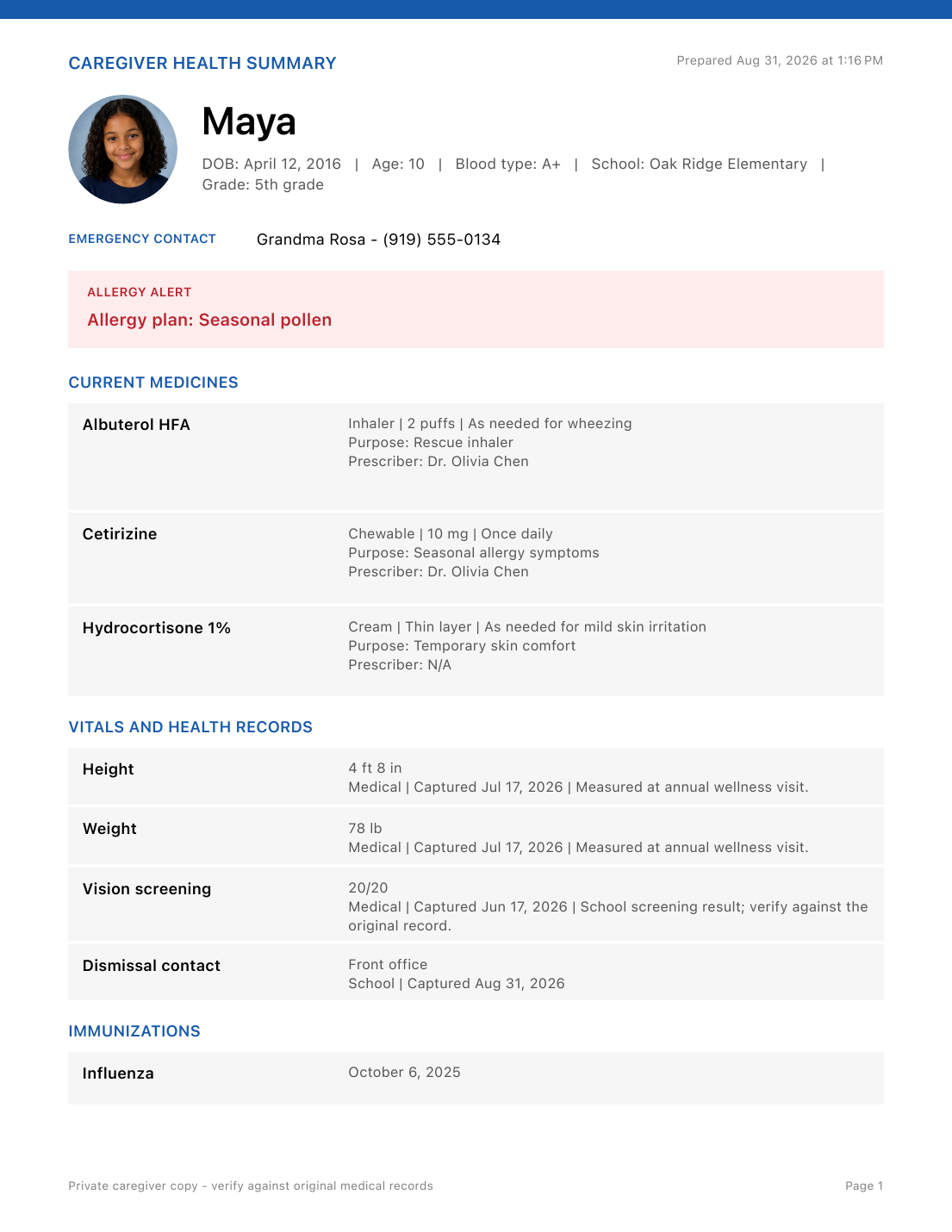
03 · 2-page sample
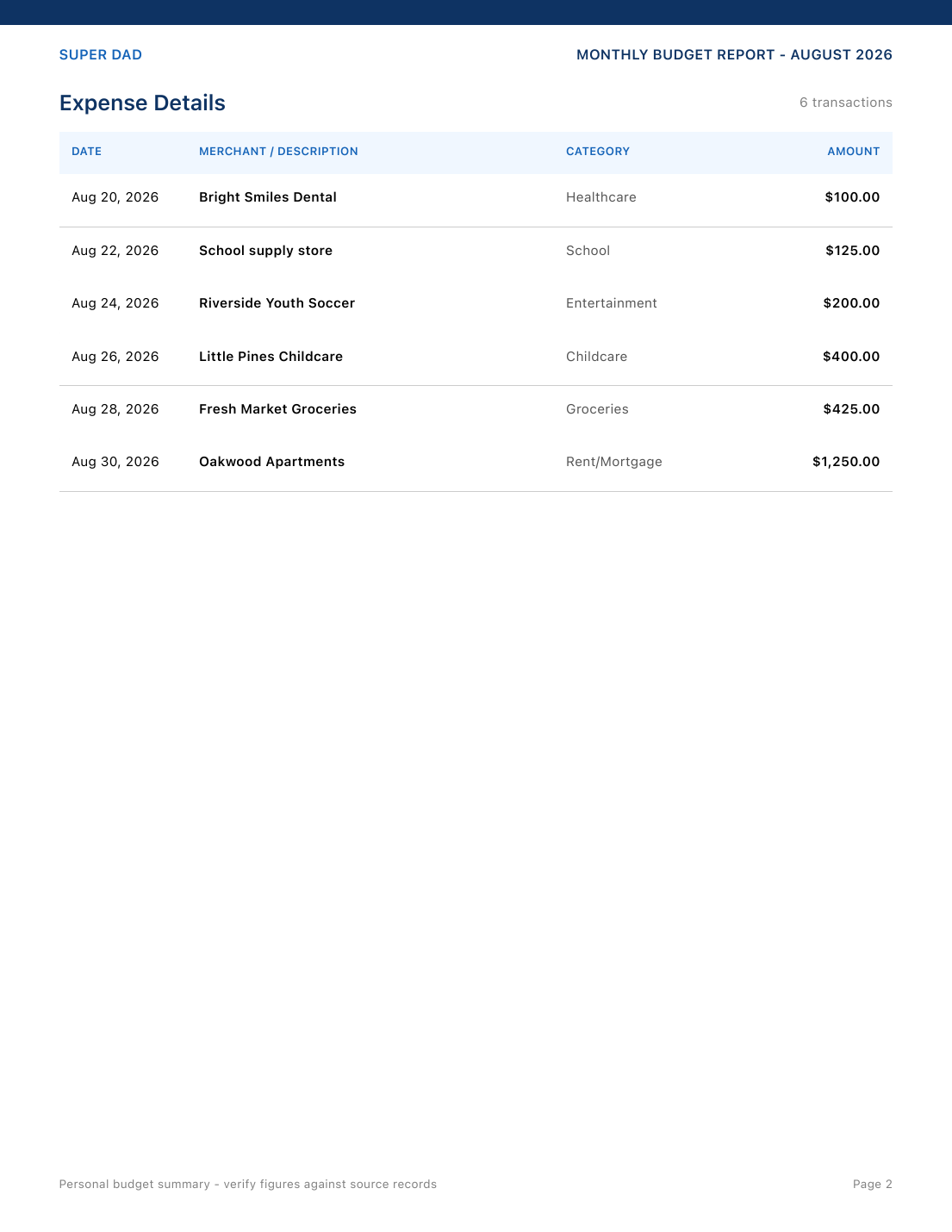
Monthly family budget
A month-level financial summary showing $3,000.00 in income, six itemized expenses totaling $2,500.00, and $500.00 in positive cash flow.
Open sample PDF ↗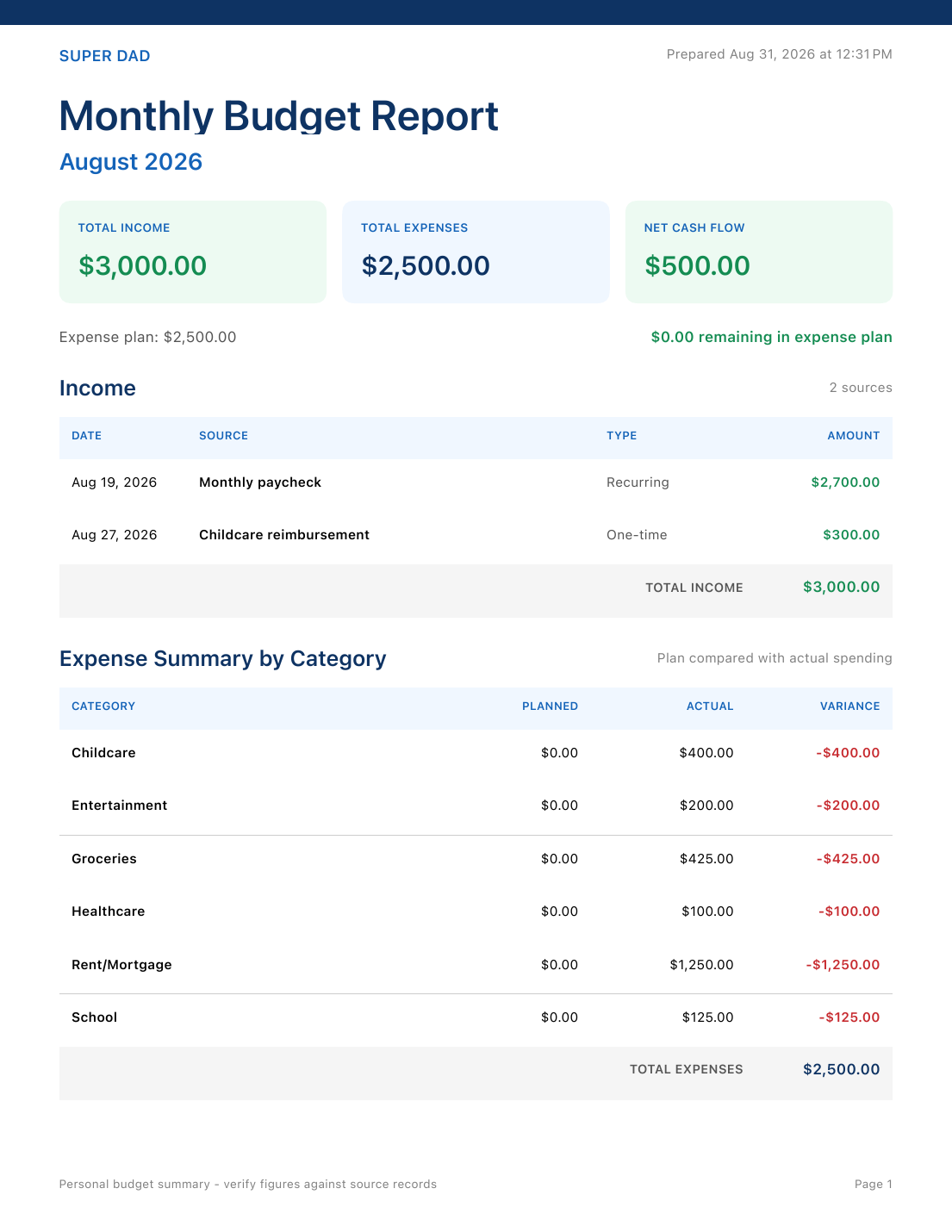
04 · 1-page sample
Legal timeline exhibit
A filtered, oldest-to-newest activity table showing Tom Clark (Father) as the participant while preserving date and time, the short description, original source wording, and an example school-conference evidence preview.
Open sample PDF ↗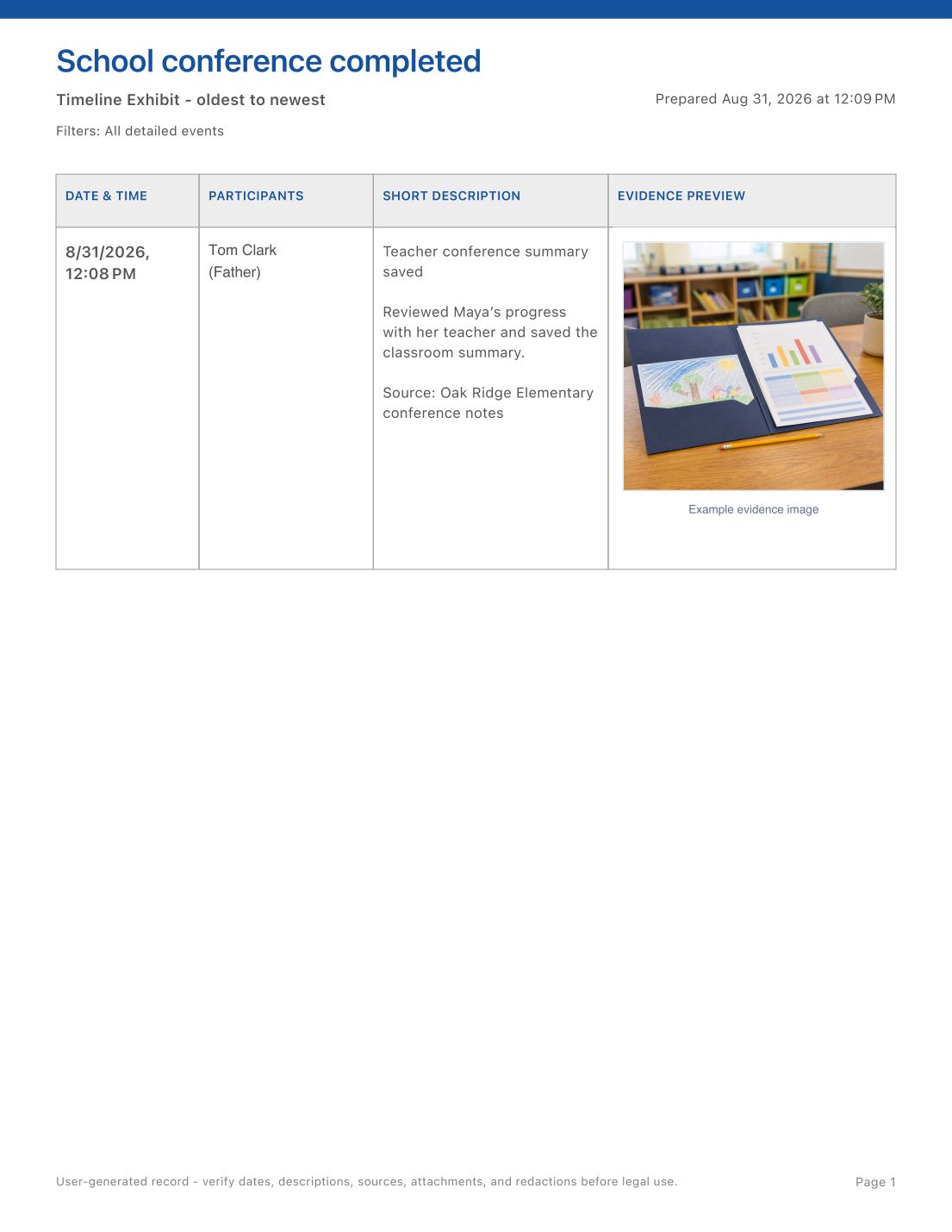
All names, schools, events, health details, and dollar amounts shown in these reports are example data created to demonstrate the output. Legal and health exports are user-created summaries that should be checked against original records before use or sharing.
THE NERD SECTION
For people who want the details.
Super Dad is designed around private family information, overlapping schedules, large attachments, and records that need enough context to remain useful months later.
Authenticated encrypted vault
App data is sealed with AES-GCM authenticated encryption. The 256-bit vault key is stored separately in the Apple Keychain, and vault files use Apple's complete file protection.
Protected access by section
Optional authentication settings protect selected sensitive areas using supported device authentication. Legal areas can also be hidden. Access controls complement vault encryption; they do not make a PDF private after you export it.
Encrypted iCloud sync
Optional sync uses iCloud Drive to exchange encrypted vault data between your Apple devices. Compatible changes are merged, recoverable snapshots are retained, and sync status distinguishes checking, transferring, errors, and completion. Pull to refresh on supported screens; availability depends on iCloud and network access.
Flexible schedule engine
Rotations such as 2-2-5-5 and week-on/week-off are generated from dated anchors, handoff times, parent roles, and child assignments. One-time adjustments can represent exceptions without rewriting the base plan.
Attachments that keep their context
PDFs, photos, messages, receipts, and other supported files are copied into the encrypted vault beside the record they support, with preview and export controls kept close to the original entry.
Source-aware reports
Care, timeline, school, health, supply, and budget exports preserve dates, filters, source notes, record groupings, and supporting evidence so a PDF remains understandable outside the app.
Fast capture and Apple Shortcuts
The global capture menu opens events, handoffs, care entries, expenses, health records, school paperwork, or legal records. App Intents can also surface what is next or open common workflows from Shortcuts.
Recovery without silent replacement
Authenticated reads, atomic local writes, previous-day backups, device confirmations, and explicit recovery controls help you recover from a failed sync. Review device status before choosing a database as the source of truth; keep separate exports of important records.
Your records, reviewed by you. Super Dad organizes user-entered information; it does not provide medical or legal advice, calculate legal deadlines, or verify that a medicine was given. Check reports against original records and prescription instructions before use. Exported files are outside the encrypted app vault and should be stored and shared carefully.
COMING TO APPLE DEVICES
Explore available apps →Super Dad is on the way.
Super Dad is being prepared for iPhone, iPad, and Mac. Explore the apps you can use today while we finish the final details.