Available now: percentage or flat tips, tax and included gratuity
 TIP CALCULATOR EASY
Less math.
More enjoying
the meal.
From a quick tip to an exact split, see where every dollar goes.
Top features
- Tips & exact bill splitsAvailable now · Percentage or flat tips, tax, included gratuity and optional round-up.
- Country tips & Venmo sharing1.5 preview · US, UK and Japan presets; share USD splits with a Venmo profile link.
- Your dining year, at a glance1.5 preview · Checks, gratuities, food and alcohol totals, plus personal meal-policy limits.
- Receipt scanning & optional AI1.5 preview · On-device recognition and editable categories; Apple Intelligence on supported devices.
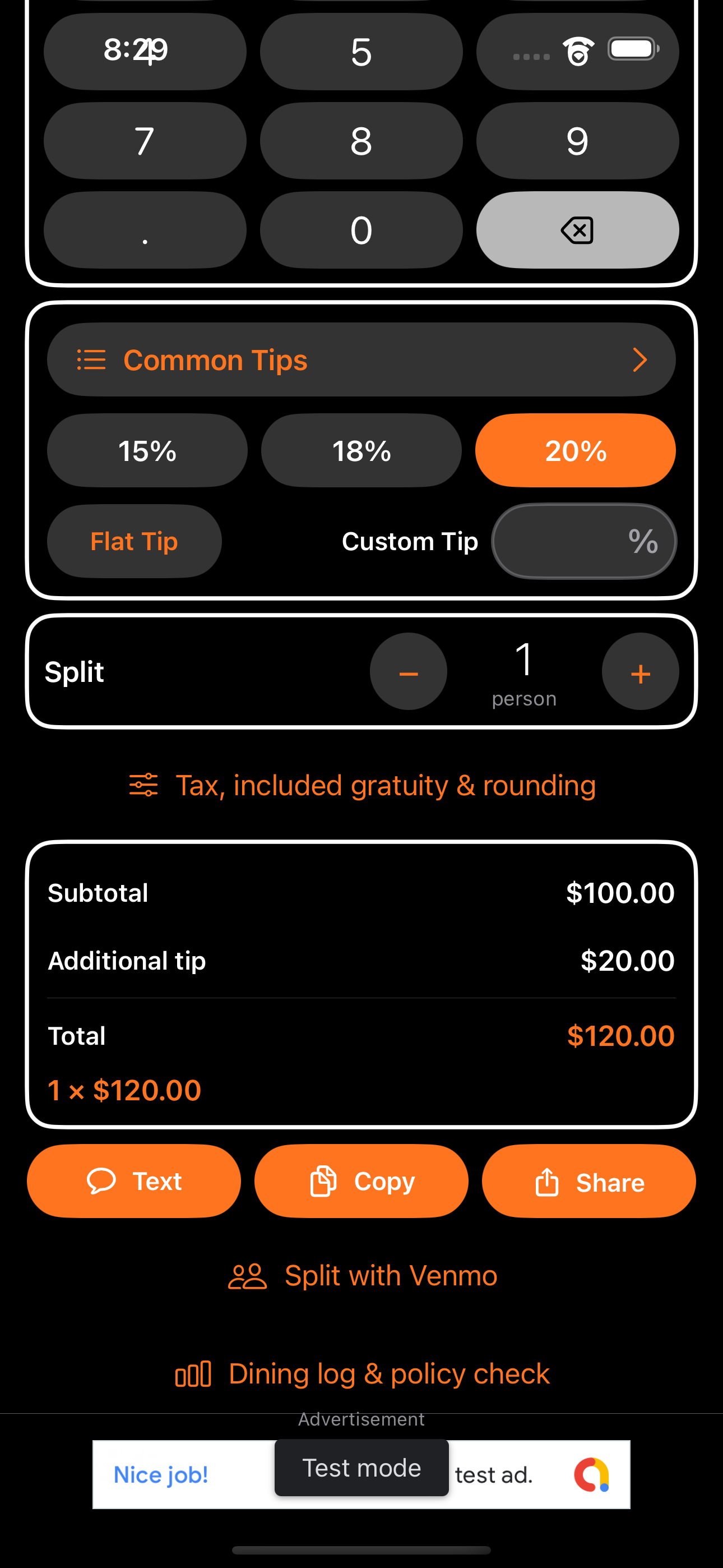
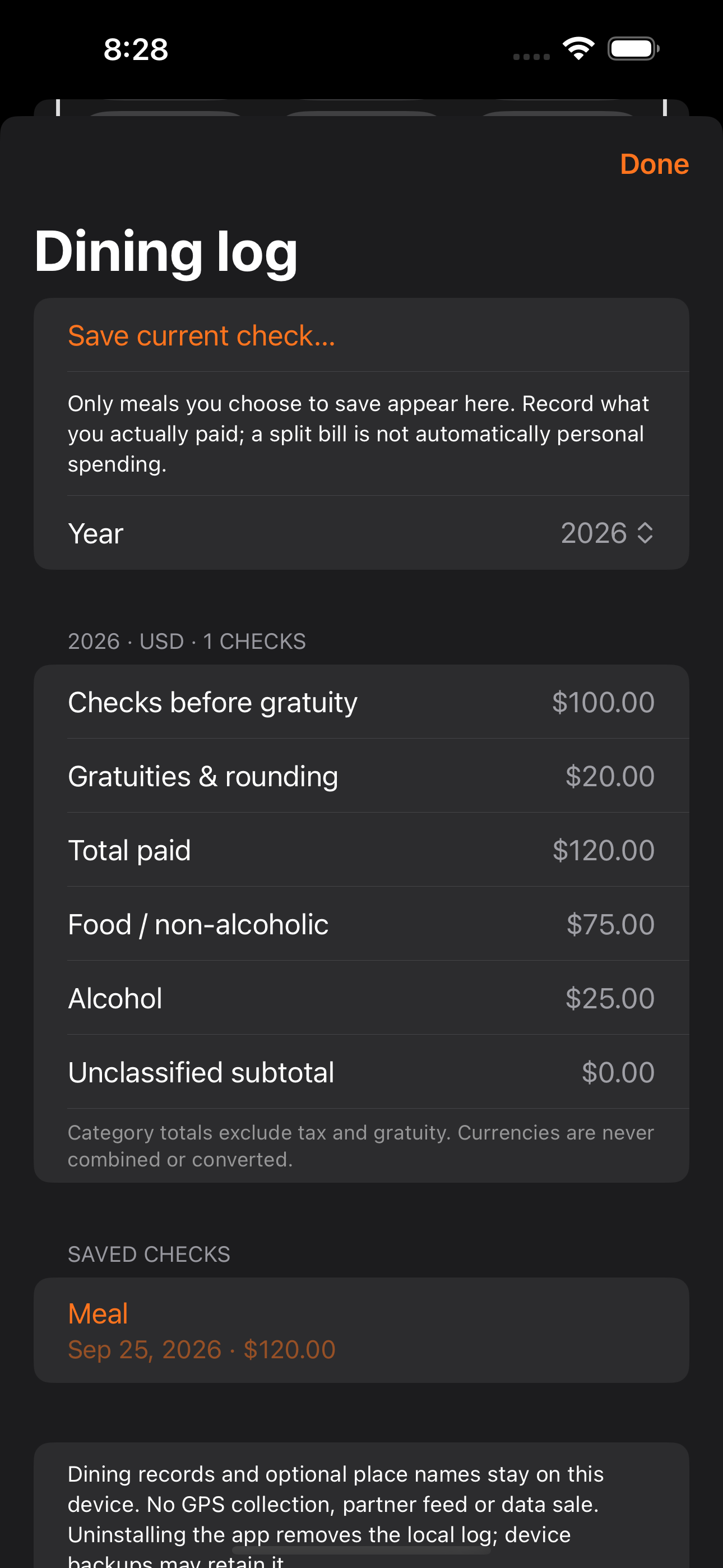
Actual development screens with sample data. The new dining features are in internal TestFlight, not the public App Store release. Tap a screenshot to see it full-size.
APP SCREENSHOTS
Explore the whole app.
Real screens from Tip Calculator Easy, shown large enough to see the details.
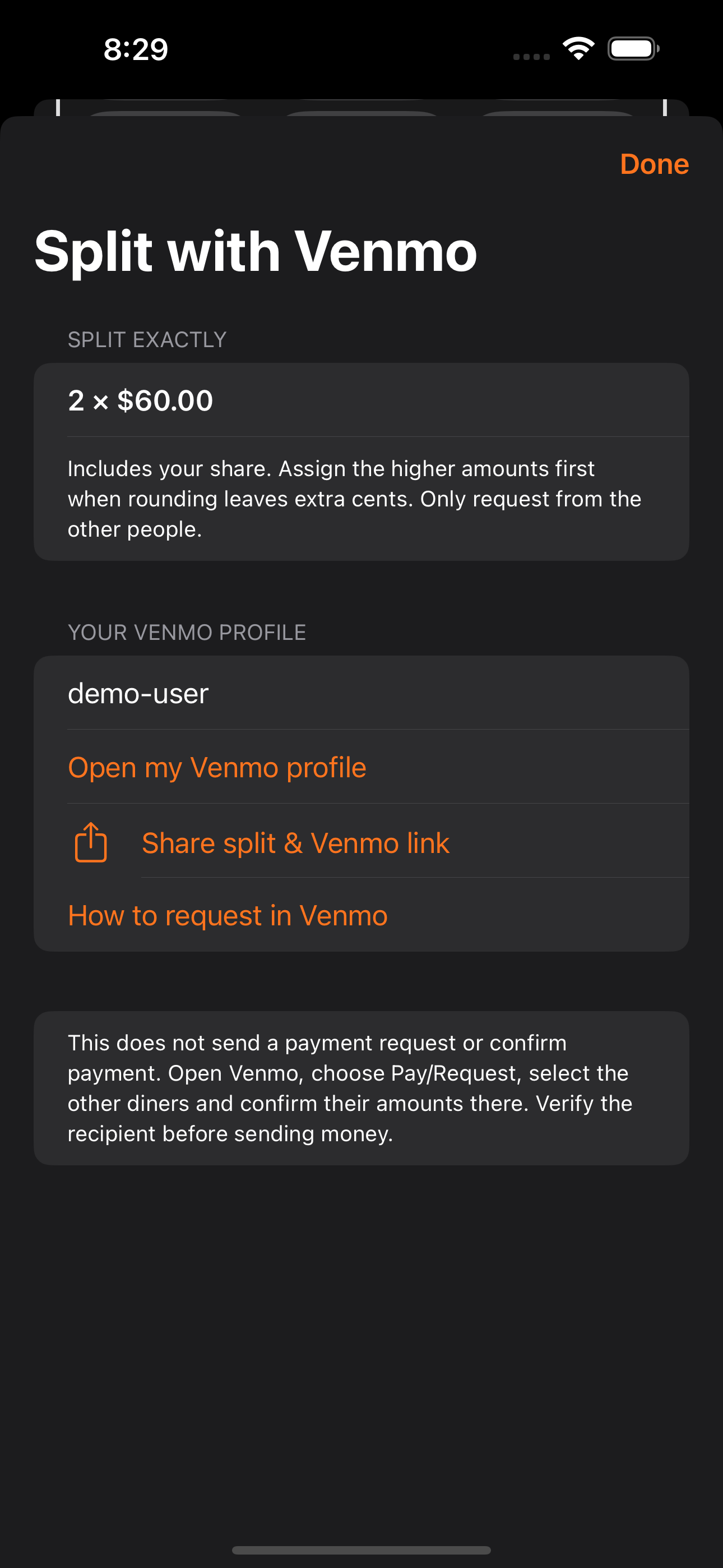
September 2026 development screenshots from the iPhone simulator, demonstrating the features now included in TestFlight 1.5 (24). Amounts, usernames and records are sample data. Receipt recognition, Apple Intelligence accuracy and Venmo handoff still require real-device testing.
01
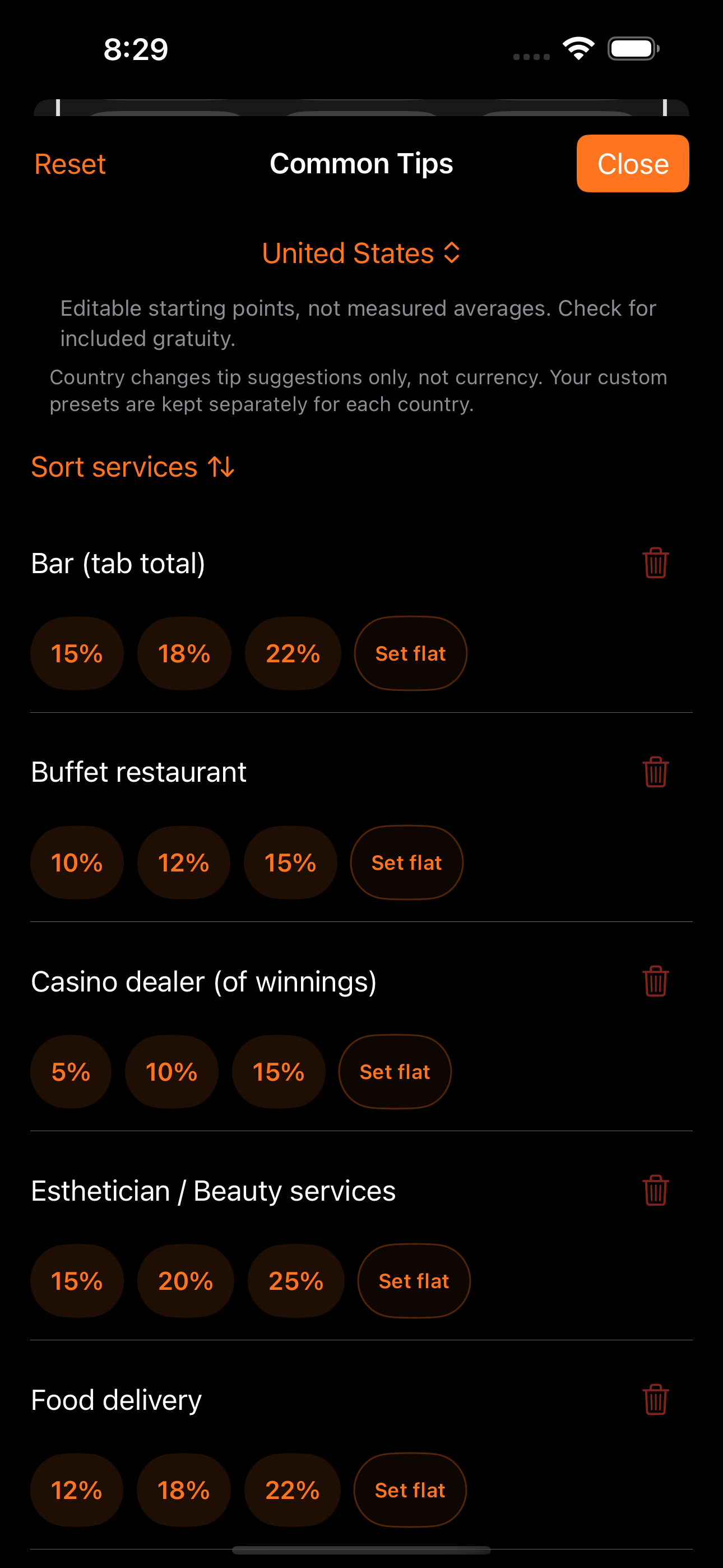
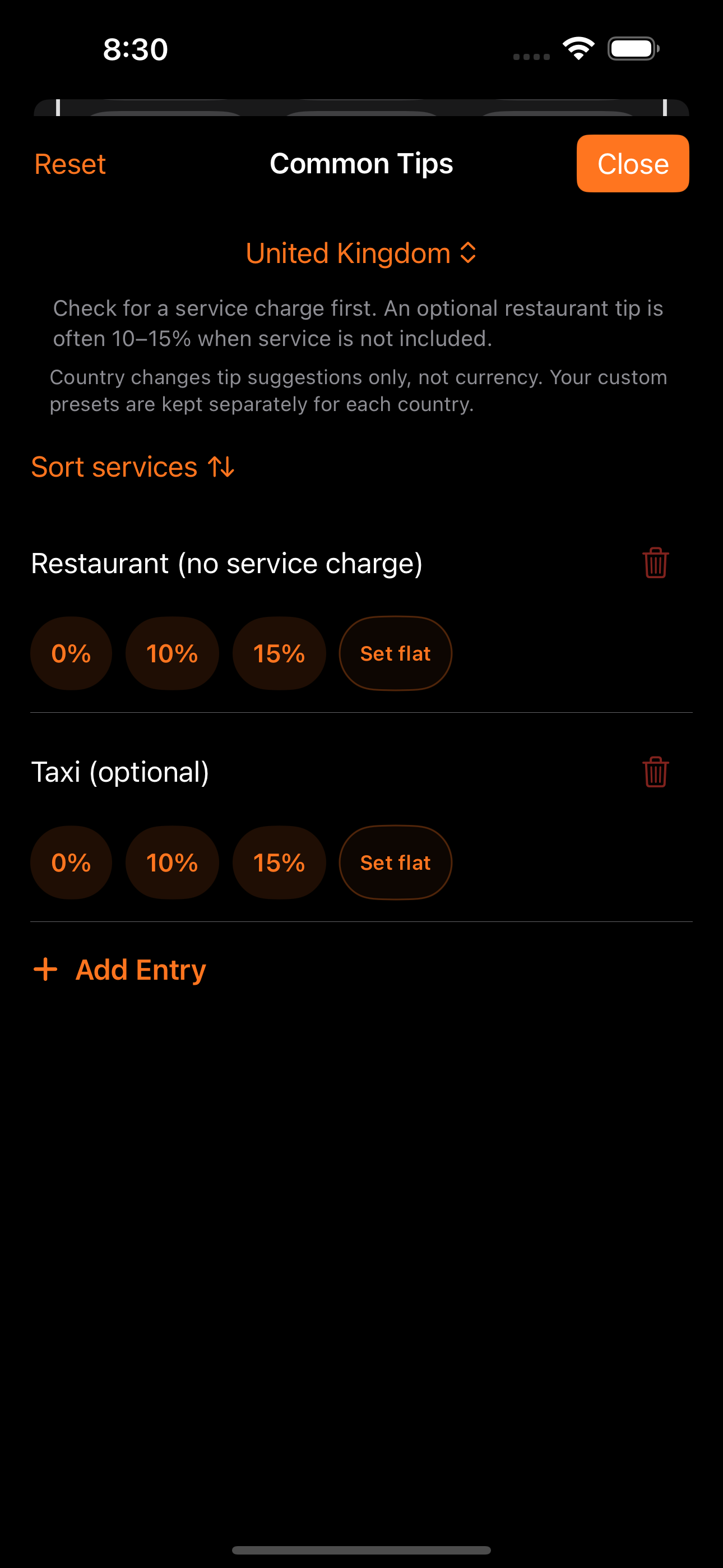
Visiting the United States? Start with the tip.
1.5 preview: choose United States, United Kingdom or Japan for editable local tip suggestions. Country selection changes the suggestions—not the currency or language. Check the receipt for an included service charge before adding a tip.
02
Keep business meals in perspective.
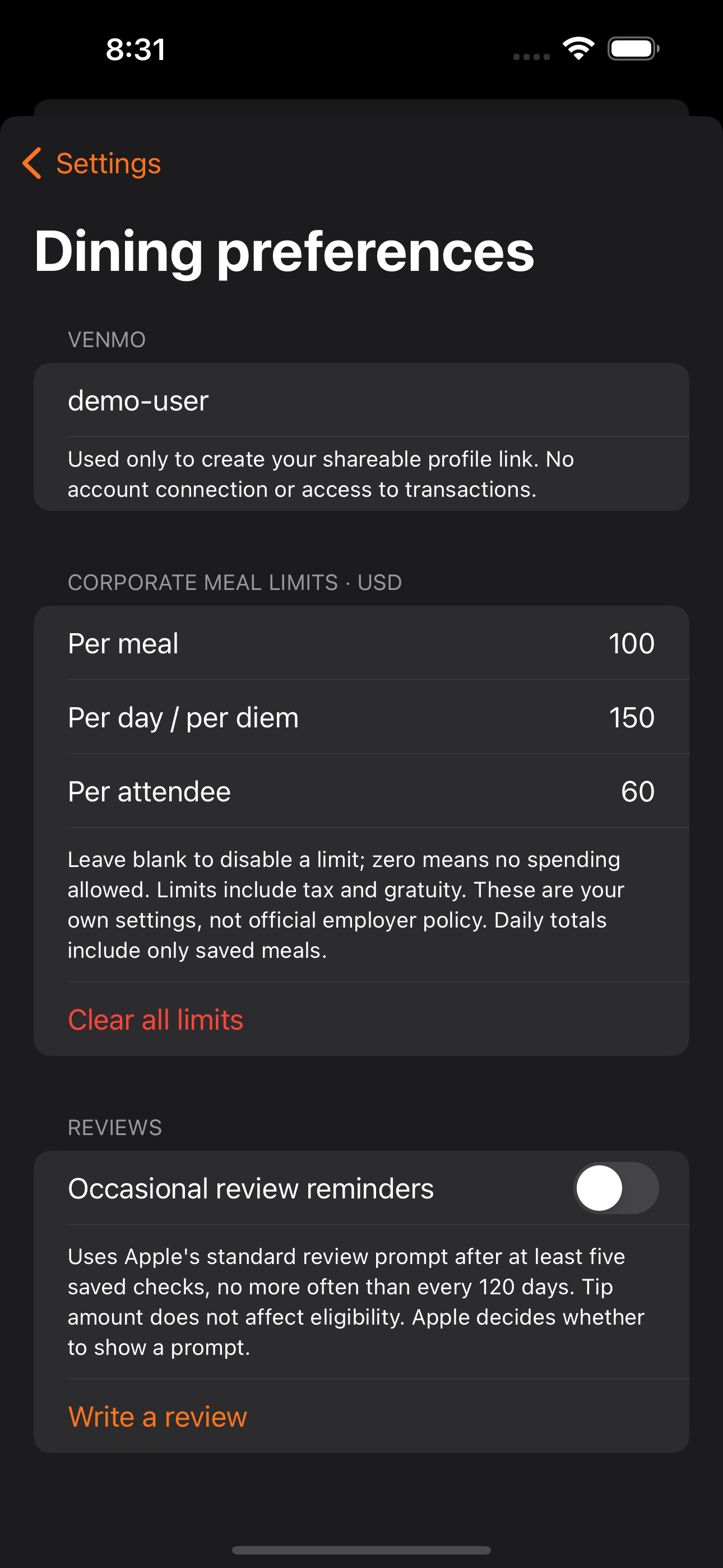
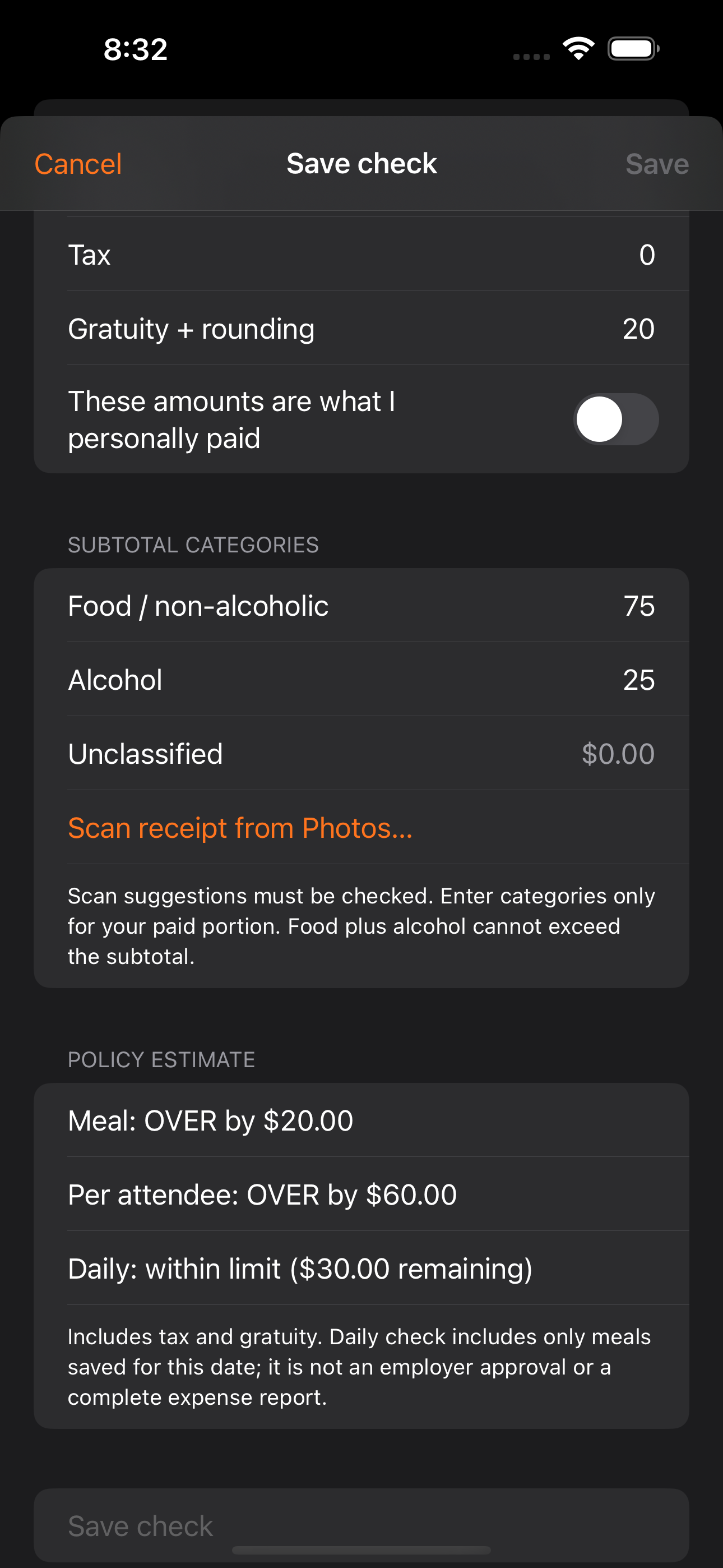
1.5 preview: add your own meal, daily/per-diem and per-attendee limits. See how a check compares, including tax and gratuity. These are personal estimates, not employer approvals; daily totals include only checks you have saved in the same currency.
03
Know what dining adds up to.
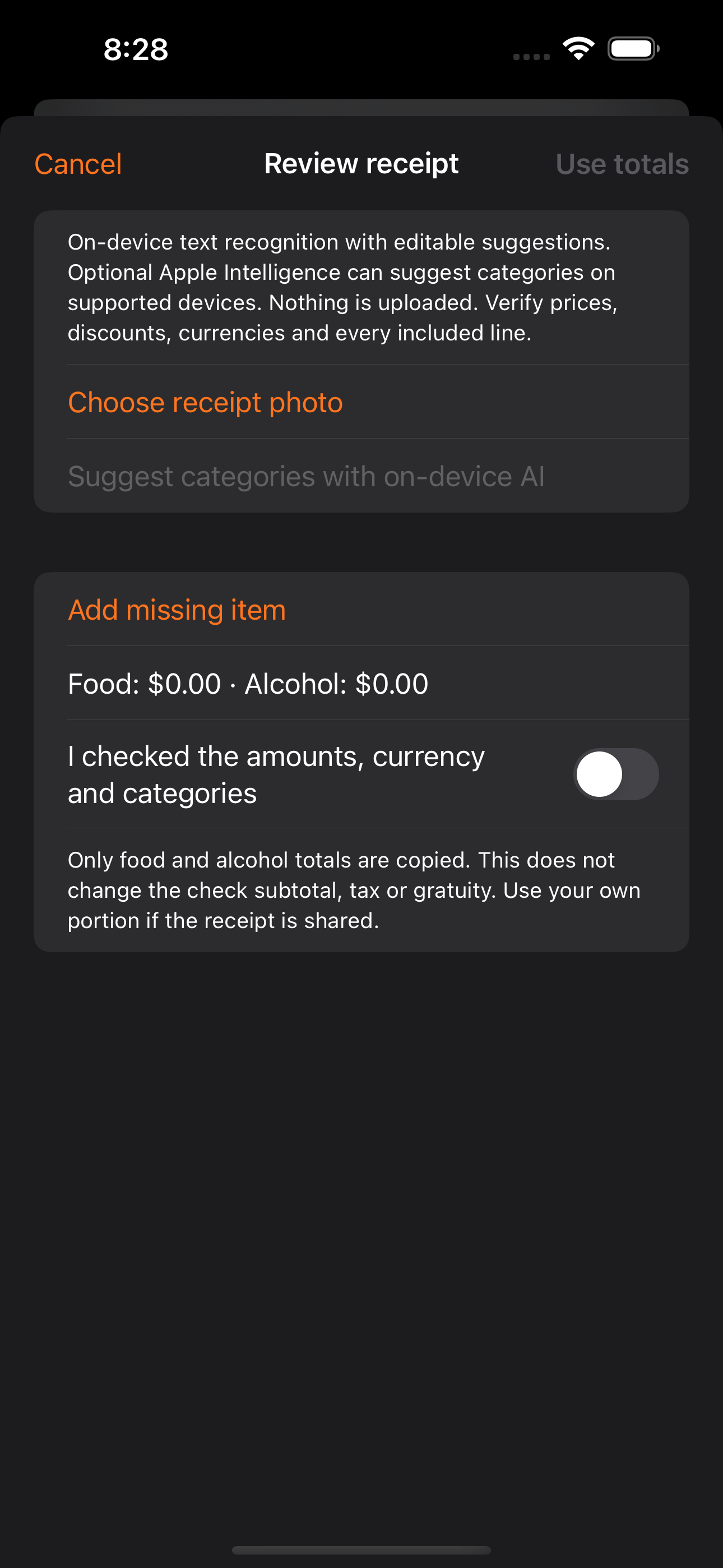
1.5 preview: save your own spending to a private dining log and review yearly checks, gratuities, food and alcohol totals. Every screenshot below uses demonstration data, not a customer's spending.
FEATURES AT A GLANCE
What Tip Calculator does best.
Focused capabilities, designed to make the whole task faster and easier to understand.
Available now: exact bill splitting, optional round-up and receipt capture
1.5 preview: US, UK and Japan tip presets plus Venmo profile-link sharing
1.5 preview: personal meal-policy limits and a private yearly dining log
1.5 preview: receipt text recognition and editable food/alcohol categories
1.5 preview: optional on-device Apple Intelligence category suggestions
WHAT YOU CAN DO
Built for the whole task.
Start simple, then go further when the job calls for it. These are the everyday workflows Tip Calculator is designed to make easier.
Handle the usual tip in seconds
Enter the bill, choose a familiar percentage, and immediately see the tip, total, and per-person amount in one readable view.
Use the tip that fits the situation
Pick a preset, enter any custom percentage, or switch to a flat dollar amount when percentage-based tipping does not make sense.
Split without doing the second calculation
Change the party size and the app recalculates each person's share while continuing to show the complete bill and tip totals.
Keep the receipt with the answer
Capture a receipt alongside the calculation so the numbers still have context when you need to review or share them later.
Preview: track your dining year
Explicitly save, edit or delete your own checks, then see annual spending and gratuity totals by currency. Food and alcohol totals exclude tax and tip; unclassified amounts stay visible.
Preview: review receipt suggestions
On-device text recognition and keyword suggestions help categorize a receipt. Optional Apple Intelligence adds category suggestions on compatible devices with an available model. Always correct amounts and categories before saving.
THE NERD SECTION
For people who want the details.
The interface is intentionally simple, but every displayed number has to stay internally consistent as tip modes, party size, and rounding change.
Percentage and flat-tip modes
The calculation model treats percentage tips and fixed tips as distinct inputs, preventing a flat amount from being quietly converted into an approximate percentage.
Consistent split arithmetic
Bill, tip, grand total, and per-person values are recalculated from the same source values so changing the group size cannot leave stale totals elsewhere on the screen.
Currency-aware presentation
Decimal arithmetic and currency-aware precision keep split shares consistent with the total. Choosing a country for tips does not change the currency or convert an amount.
Receipt-linked context
The receipt image complements the calculation instead of replacing it, keeping both the original bill context and the app's readable breakdown available together.
Preview privacy and data control
Dining records are stored locally. The optional restaurant/city field is manually entered; there is no GPS collection, restaurant-data sale, Maps feed or OpenTable partnership. Advertising and privacy choices remain separate from the dining log.
Preview AI and review reminders
Apple Intelligence requires supported hardware, iOS 26 or later and an available on-device model. It suggests categories, not verified prices. Optional StoreKit review requests use saved-check count and a cooldown; Apple controls whether a prompt appears.
AVAILABLE ON THE APP STORE
Open in the App Store ↗Make life easier with Tip Calculator.
See the full listing, compatibility details, and download options directly from Apple.