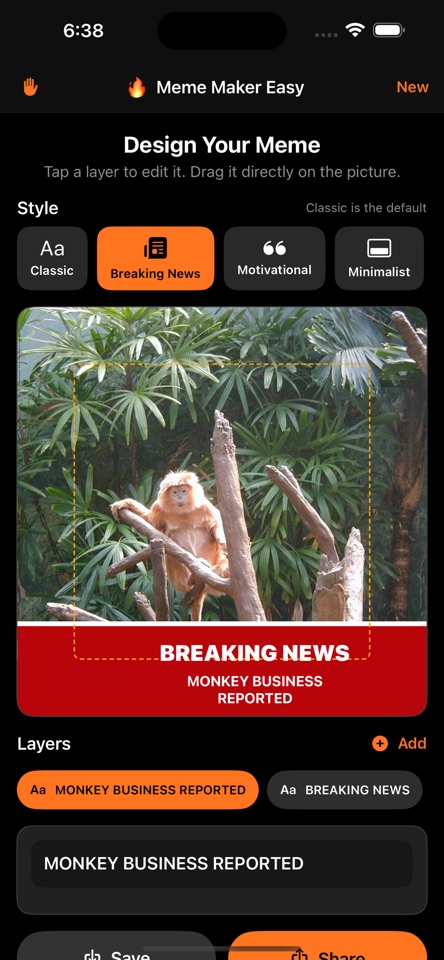
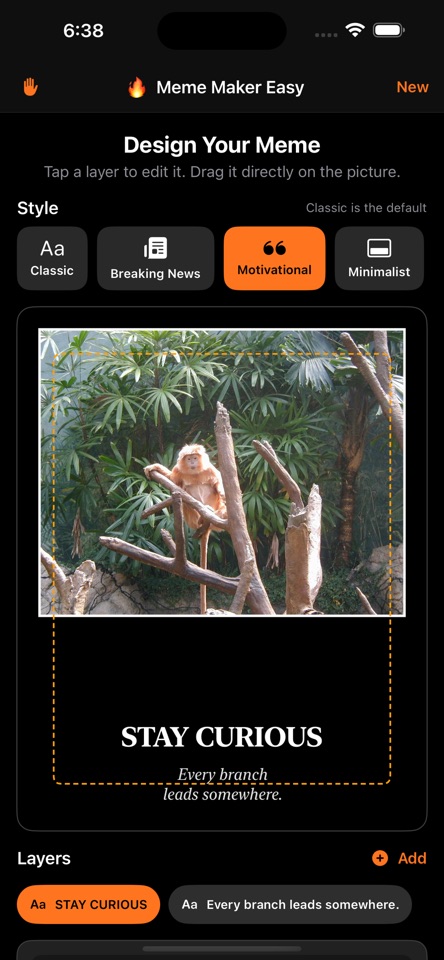
Classic, breaking-news, motivational, and minimalist layouts
Available now
Meme Maker Easy
Create. Laugh. Share.
Turn any photo into a polished, shareable meme in seconds—without accounts, tracking, subscriptions, or clutter.
WHY WE MADE IT
Because making one good joke should not require learning a design suite.
APP SCREENSHOTS
See it in action.
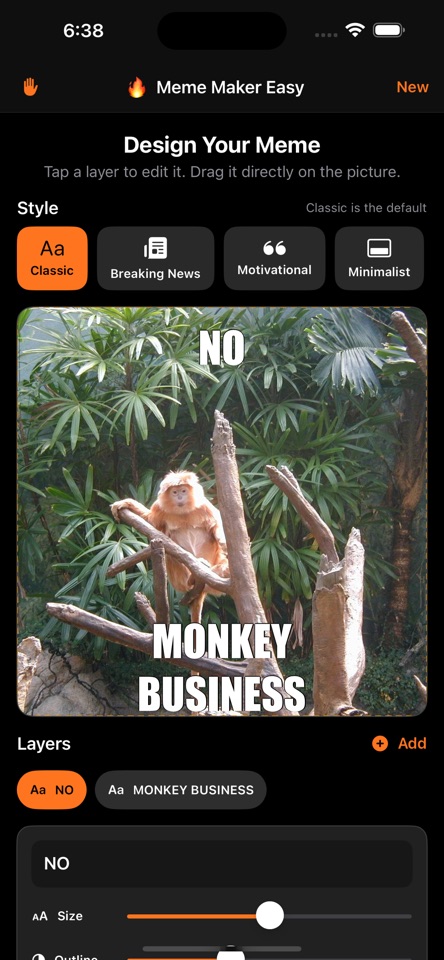
Real screens from Meme Maker Easy, shown large enough to see the details.
FEATURES AT A GLANCE
What Meme Maker does best.
Focused capabilities, designed to make the whole task faster and easier to understand.
Movable, resizable, and rotatable text layers
High-resolution saving and one-tap sharing
Everything is processed privately on your device
WHAT YOU CAN DO
Built for the whole task.
Start simple, then go further when the job calls for it. These are the everyday workflows Meme Maker is designed to make easier.
Start with the right format
Choose a classic caption, breaking-news card, motivational poster, or clean minimalist layout instead of rebuilding the same structure every time.
Put every element where it belongs
Move, resize, and rotate text directly on the canvas. Adjust the composition by touch until the joke reads exactly the way you intended.
Use your own photos
Bring in an image from your library, frame it for the selected style, and create something personal without sending the source photo to a web editor.
Save and share a finished image
Render a crisp result that is ready for Messages, social apps, or your photo library—without a separate export workflow.
THE NERD SECTION
For people who want the details.
Meme Maker Easy keeps the editing model deliberately small, but the rendering underneath is built to preserve positioning, scale, and output quality.
Independent text layers
Each caption is treated as its own transformable layer, so position, scale, and rotation can be adjusted without flattening the rest of the design.
Template-aware composition
Layouts provide sensible starting geometry for headline, image, and supporting text while still allowing direct manipulation when the template needs to be broken.
High-resolution rendering
The final composition is rendered as a complete image rather than captured from the visible editor, keeping saved results sharper than an ordinary screen grab.
On-device workflow
Photo selection, editing, and rendering happen on the device. The app does not need an account, tracking profile, or cloud design project to make a meme.
AVAILABLE ON THE APP STORE
Open in the App Store ↗Make life easier with Meme Maker.
See the full listing, compatibility details, and download options directly from Apple.