Smaller PDF exports with Small File, Balanced, and Best Quality choices and an actual-size preview
Available now
PDF Scan Easy
From paper to polished PDF.
Now on the App Store: scan, organize, sign, and share PDFs on your iPhone. Version 1.1 adds smaller exports, flexible scan controls, and a document library that stays on your device. One-time purchase. No subscriptions.
WHY WE MADE IT
Scan at your pace, keep the details readable, and share a file that fits the job.
APP SCREENSHOTS
See it in action.
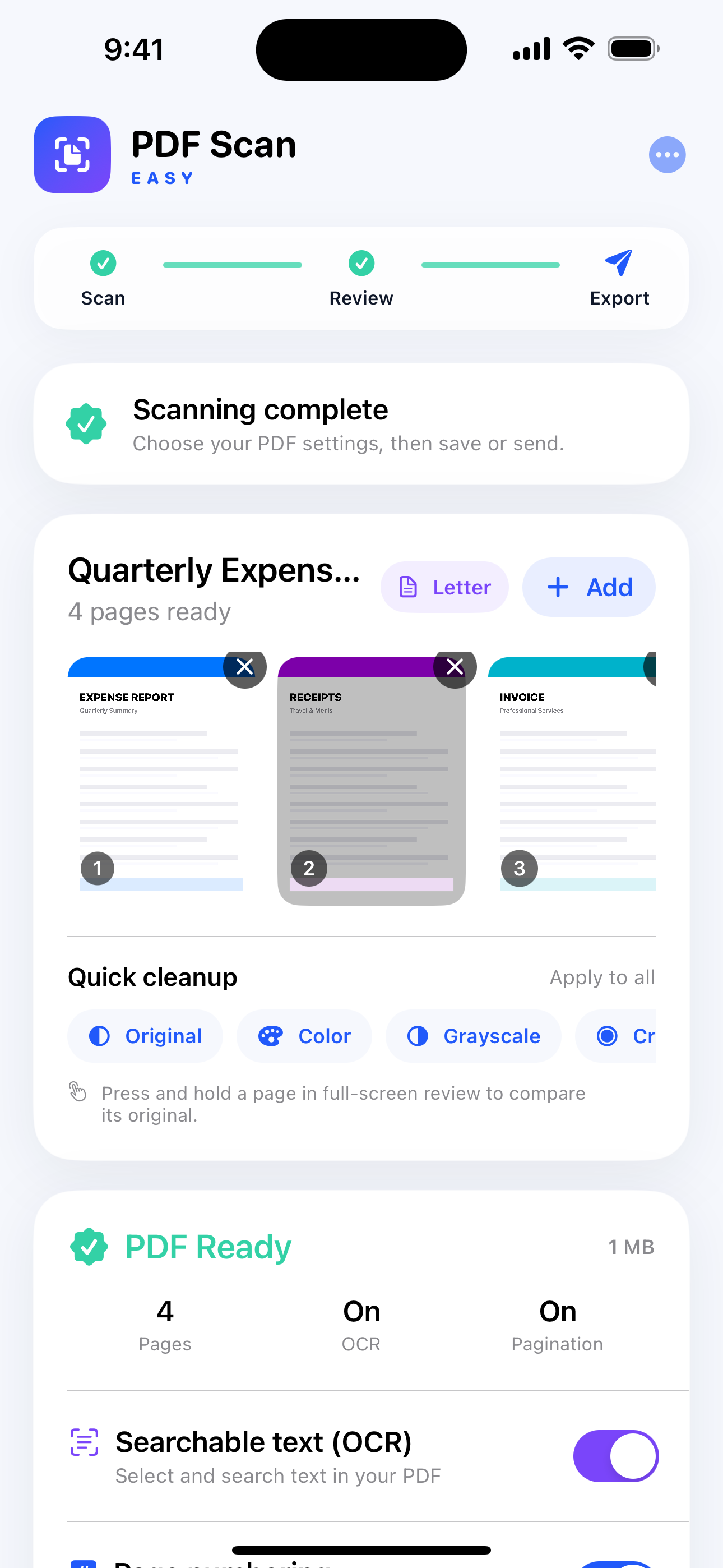
Real screens from PDF Scan Easy, shown large enough to see the details.
FEATURES AT A GLANCE
What PDF Scan does best.
Focused capabilities, designed to make the whole task faster and easier to understand.
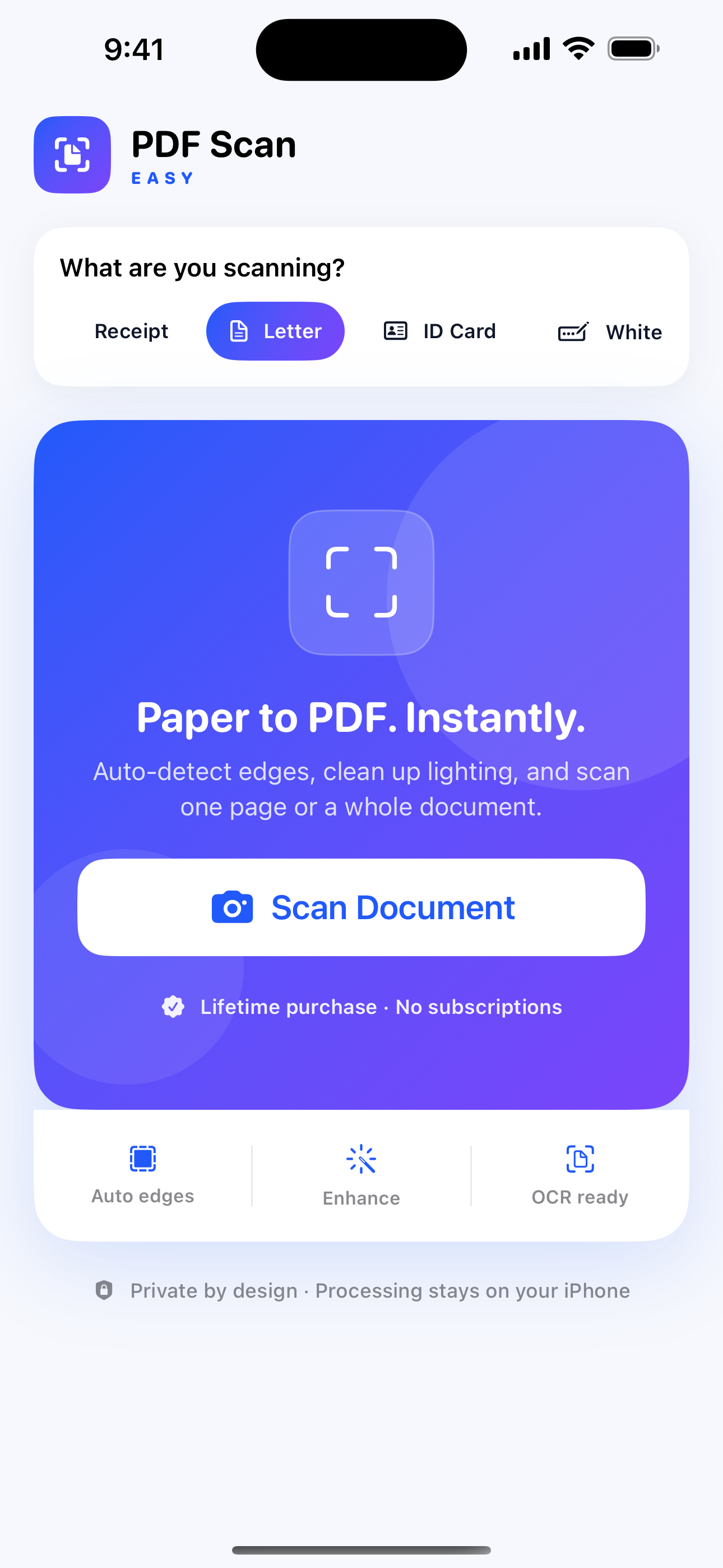
Tap to capture and adjust all four page corners; choose your scan speed and save your OCR preference
An on-device library with autosave, folders, tags, search, and tools to merge, sign, and redact
Automatic edge detection, perspective correction, scan presets, and color or black-and-white filters
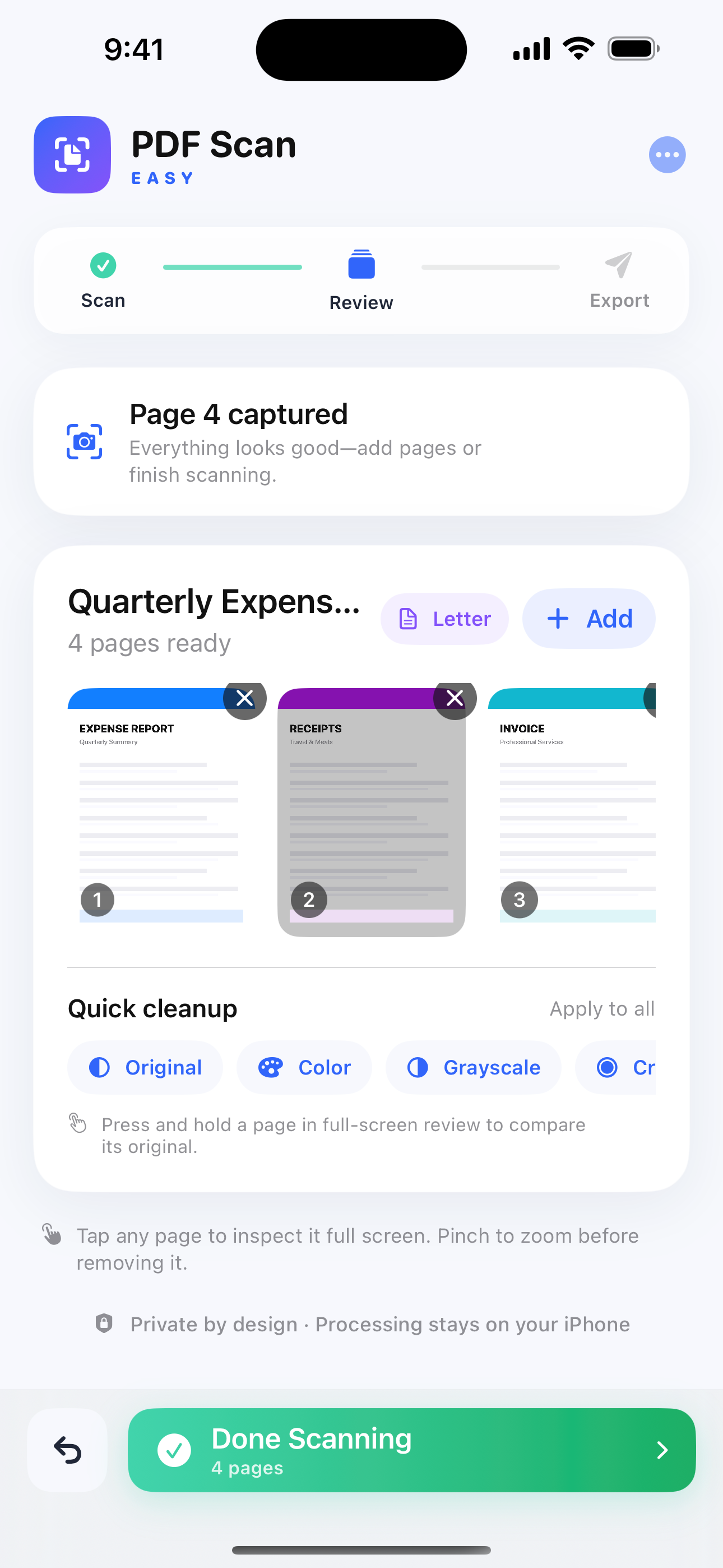
Import PDFs and photos; reorder, extract, split, or combine pages
Optional on-device OCR for searchable PDFs and text you can view, copy, or export
Text, checkmarks, highlights, drawings, finger signatures, and permanent redaction
Quality warnings, likely duplicate-page review, optional page numbers, and sharing to Files or compatible apps
WHAT YOU CAN DO
Built for the whole task.
Start simple, then go further when the job calls for it. These are the everyday workflows PDF Scan is designed to make easier.
Capture a page, not the desk around it
Automatically detect page edges and correct perspective. If detection needs help, tap the camera preview to capture the page, then manually adjust its four corners to fit the paper.
Scan at your own pace
Choose the delay before the next scan, or use manual confirmation. Your preferred OCR and export-quality settings stay saved between sessions.
Choose the right file size
Pick Small File, Balanced, or Best Quality, then preview the generated PDF and its actual size before sharing. Import an existing scanned PDF to compare its export size.
Keep documents organized locally
Autosave scans, reopen unfinished documents, and organize your library with names, folders, and tags. Search document details and text recognized with OCR. No account or cloud sync is required.
Build the document you need
Bring PDFs, photos, and new scans together. Merge documents, reorder pages, extract selected pages, or split a document into smaller parts.
Mark it up, sign it, or redact it
Add text, checkmarks, highlights, drawings, and finger signatures. Rotate pages and undo individual annotation marks. Permanent redaction removes selected content from the page and its stored original.
Make scanned text useful
Optional on-device OCR adds searchable text to your PDF. View, copy, or export recognized text, and keep OCR off by default when you do not need it.
Review before sharing
Review quality warnings and likely duplicate pages, choose a scan preset or image filter, and add optional page numbers. Export to Files or share with compatible apps when the document is ready.
THE NERD SECTION
For people who want the details.
Version 1.1 keeps scanning, image processing, OCR, and document storage on your device. These details help you choose how to import, preserve, and share your documents.
Document-boundary geometry
Detected or manually adjusted page corners guide perspective correction, turning the selected area into a rectangular document page.
Compression with a preview
Export-quality choices balance image detail and file size. The preview reports the generated PDF's actual size; an already compact, text-based PDF may not become smaller.
Imported PDFs become page images
Import makes PDF pages editable as images. Original vector structure, interactive forms, links, and digital signatures are not retained.
Local storage and deliberate backups
There is no cloud sync. The local library is excluded from backups, and deleting the app removes its documents. Export important files to a destination you choose.
On-device OCR
Text recognition runs locally. You can keep a saved default, create searchable PDFs, and view, copy, or export the recognized text without uploading documents for processing.
Permanent redaction
Redaction cannot be undone. It removes selected content from the page and its stored original, but does not change documents you previously exported or copied.
AVAILABLE ON THE APP STORE
Open in the App Store ↗Make life easier with PDF Scan.
See the full listing, compatibility details, and download options directly from Apple.